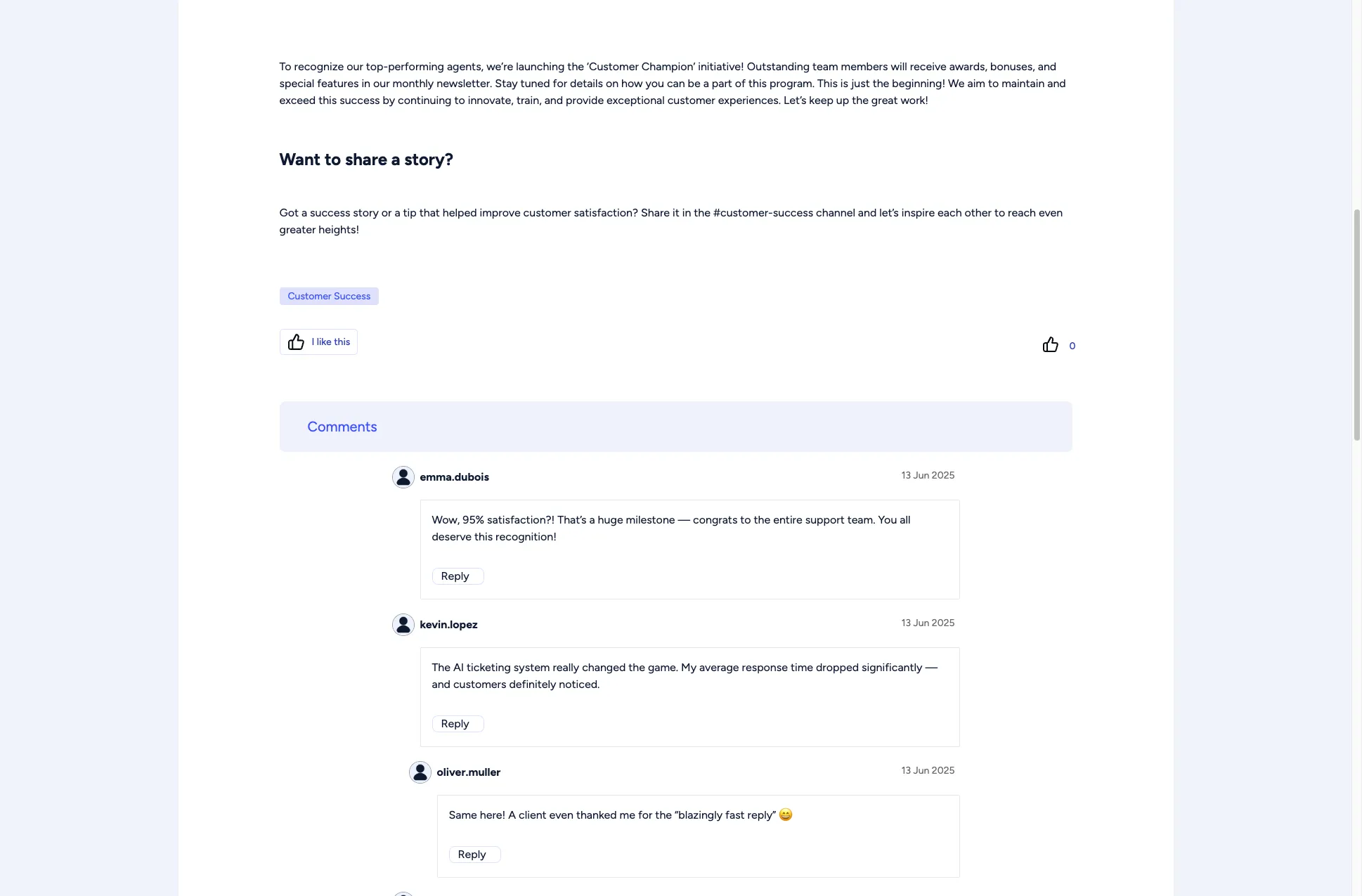
Social Features
Open Intranet includes social features that let you interact with content, save items for later, and engage with colleagues.
Bookmarks
Section titled “Bookmarks”Bookmarks let you save news articles, events and Knowledge Base pages for quick access later.
Adding a bookmark
Section titled “Adding a bookmark”- Open the article, event or Knowledge Base page.
- Click Add to Bookmarks. You find it at the end of the page, below the comments. News cards on the homepage also show a bookmark icon in the corner.
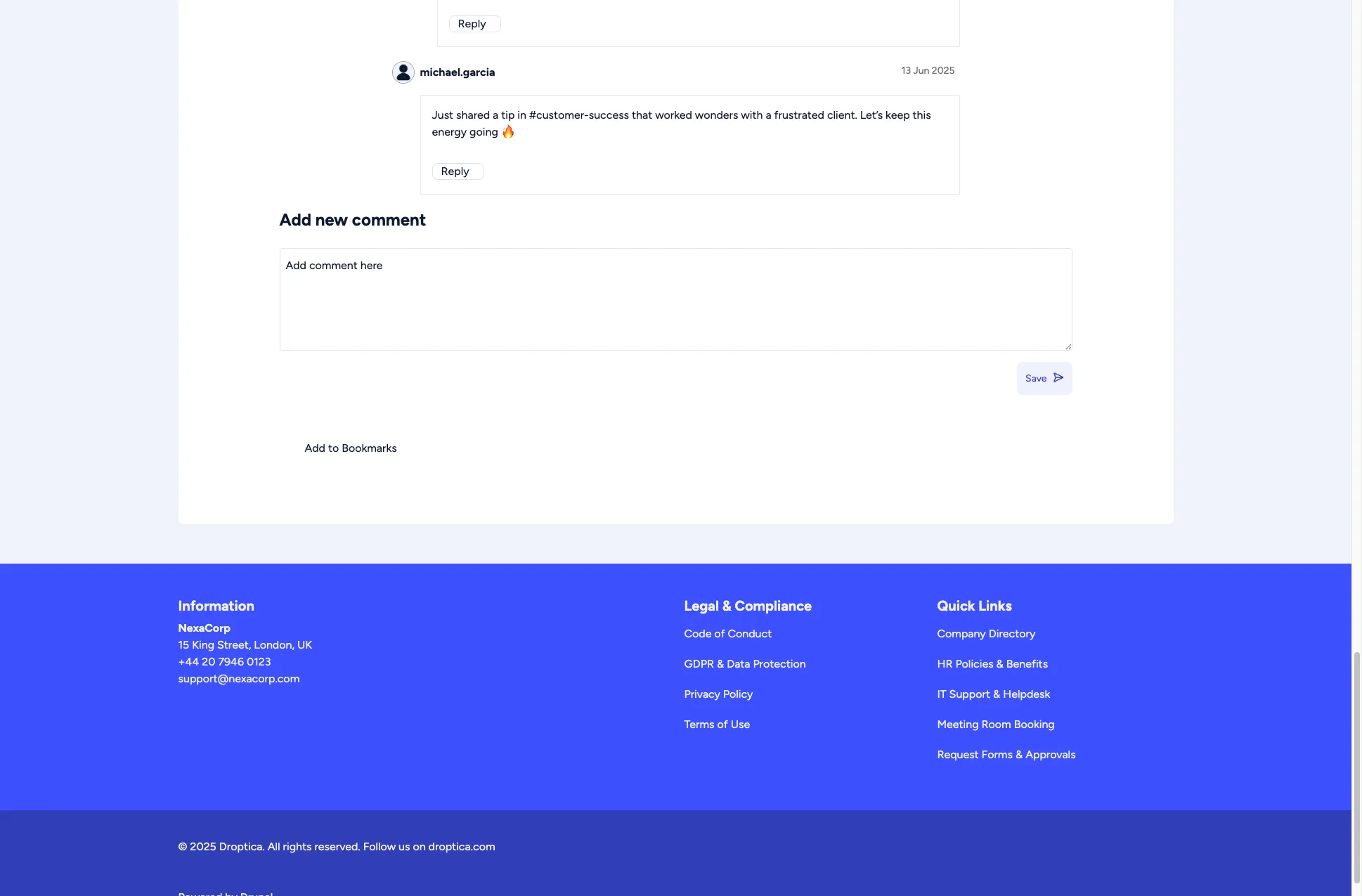
The link then changes to Remove from Bookmarks; click it to take the page off your list.
Viewing your bookmarks
Section titled “Viewing your bookmarks”- Click your name in the top-right corner.
- Choose My bookmarks.
The Bookmarks page lists everything you saved, with its content type and the date you saved it. Click a title to go back to the content.
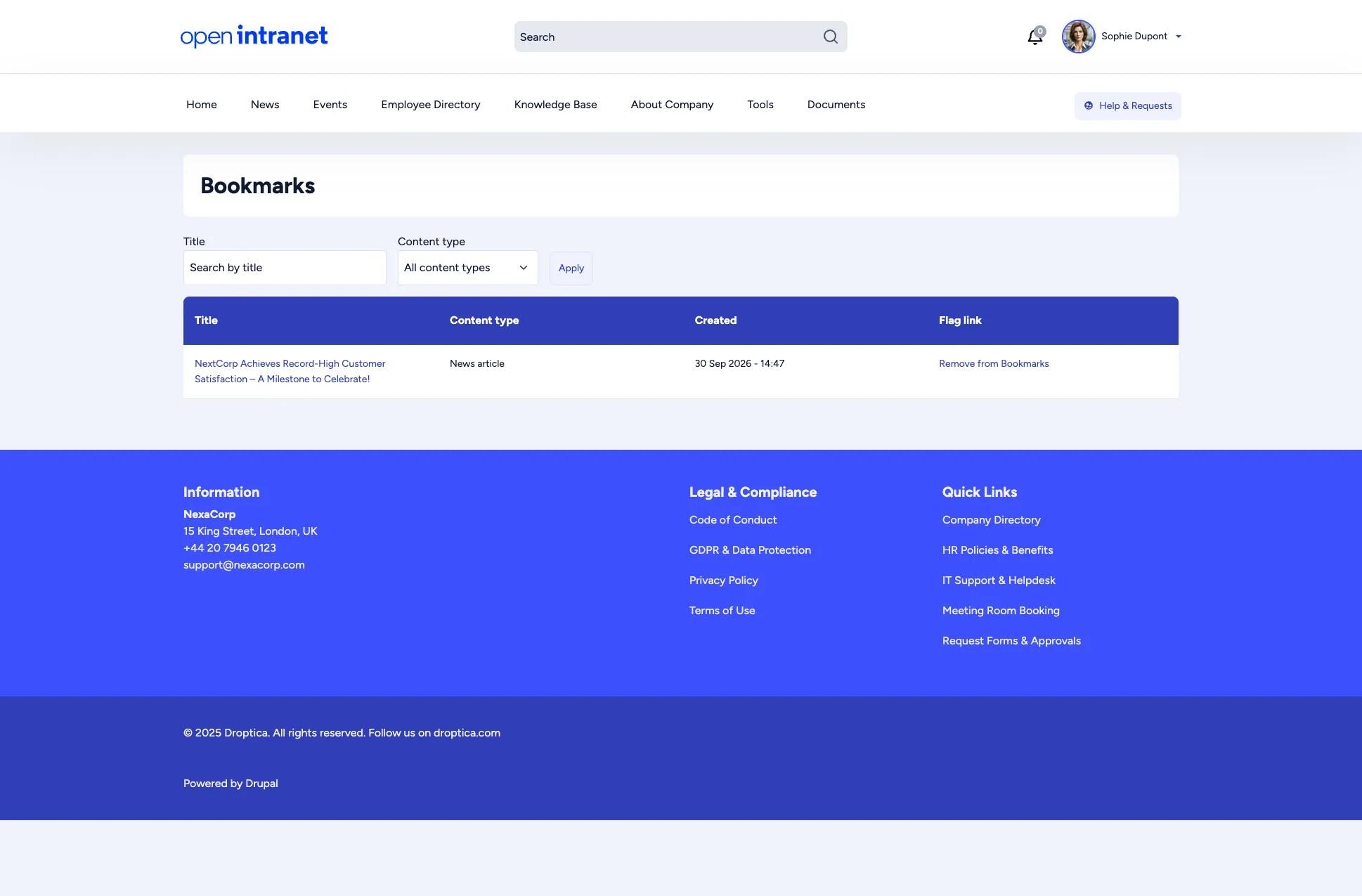
On the homepage, the My Last Bookmarks widget shows your most recent bookmarks, with an All my bookmarks link.
Comments
Section titled “Comments”Many content types, including news articles, support comments. Commenting lets you share feedback, ask questions, or start discussions.
Posting a comment
Section titled “Posting a comment”- Scroll to the Add new comment section at the bottom of an article.
- Type your comment in the text box.
- Click Save.
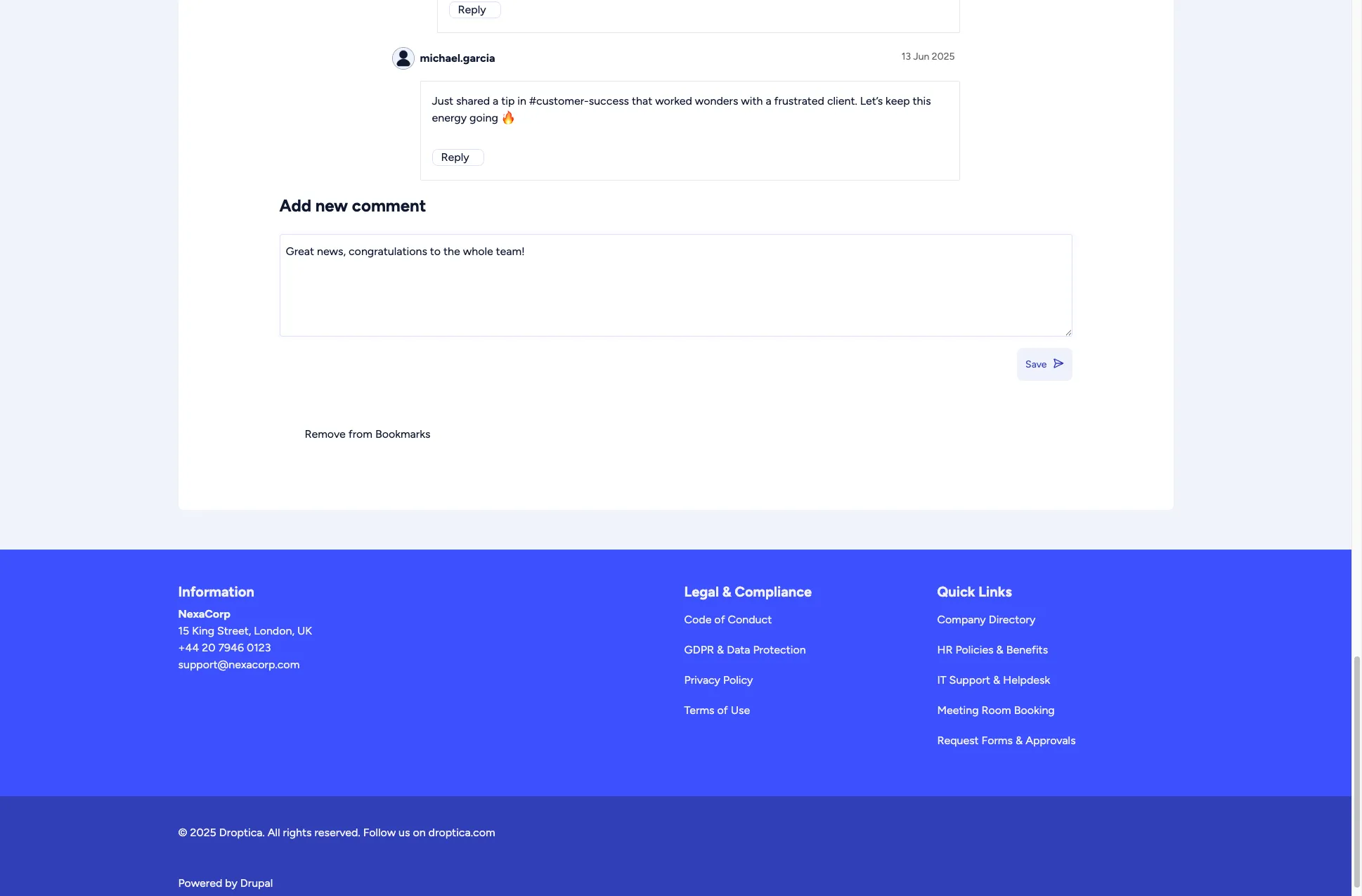
Your comment appears immediately below the article, visible to all users. To answer a colleague, click Reply under their comment: replies are shown indented below it.
Reactions
Section titled “Reactions”The like feature lets you express appreciation for content without writing a comment. Under a news article, click I like this. The counter with the thumbs-up on the right shows how many people reacted. Reactions are available on news articles and basic pages, and they are a lightweight way to acknowledge content and help surface popular articles.