

Events and Calendar
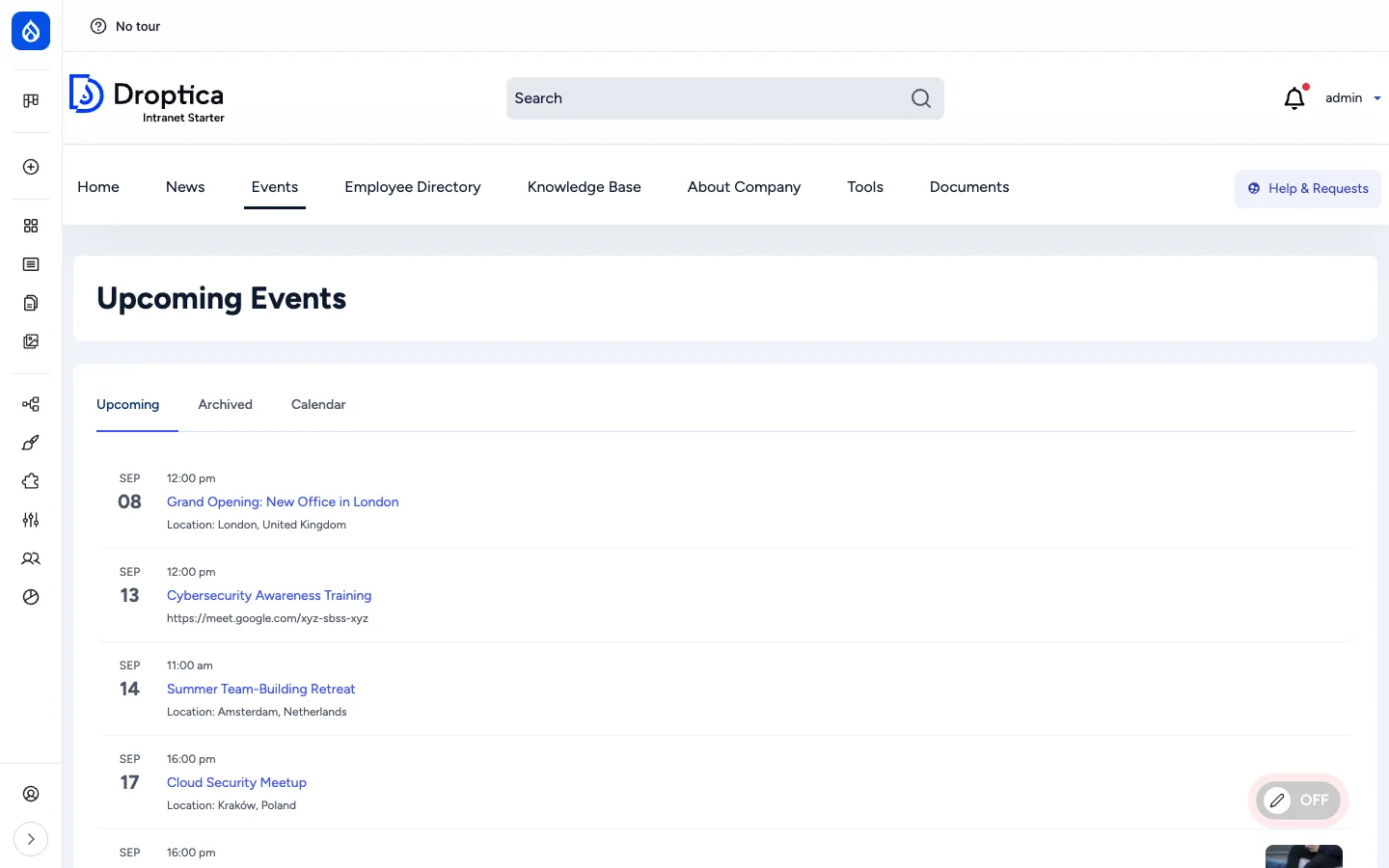
The Events section is where the company publishes everything that happens at a specific time and place: training sessions, office openings, meetups, audits, all-hands, parties. Events are first-class content with a dedicated landing page (/events), a month-grid calendar at /events/calendar, an upcoming-events block on the homepage and a single-event page at /event/{slug} that includes a Leaflet map for physical locations.
What it is
Section titled “What it is”An event is a Drupal node of bundle event. It captures when something happens (a date range), where it happens (a physical address with a geocoded map point, or an online URL) and what it is about (rich-text description with cover image). Events are surfaced through three views (upcoming list, archived list, month calendar) and a homepage block.
The calendar layer is provided by the Calendar View module with the optional FullCalendar View integration; locations are rendered with Leaflet on top of OpenStreetMap tiles.
Components
Section titled “Components”The event content type
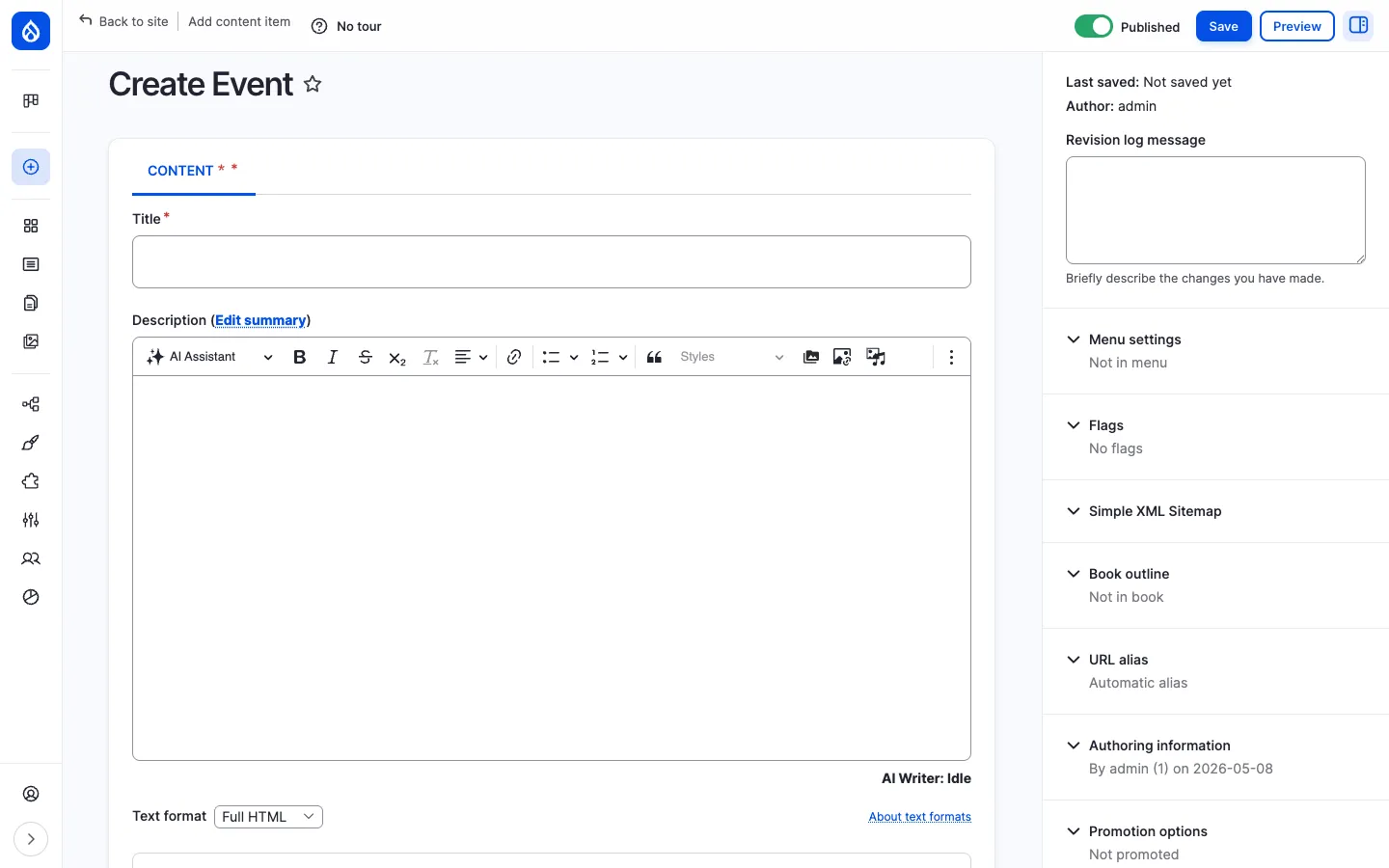
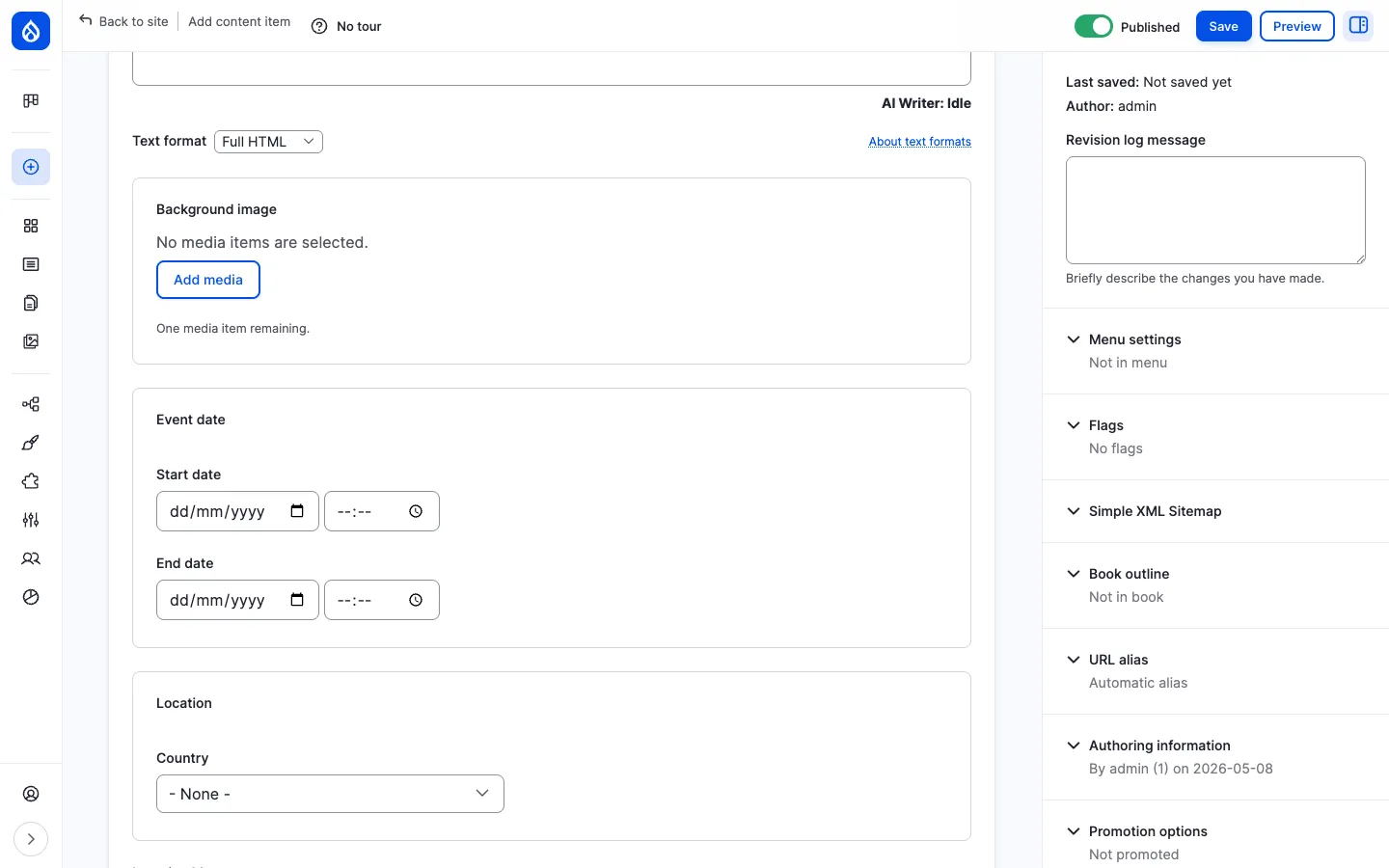
Section titled “The event content type”Each event carries the following editorial fields:
| Field | Type | Purpose |
|---|---|---|
| Title | Plain text | Headline shown on listings, calendar cells and the event page. |
Description (body) | Rich text (CKEditor 5) | The main event copy: agenda, speakers, dress code, parking notes, etc. |
Background image (field_background_image) | Media reference | Cover image used as the listing thumbnail and behind the event title. |
Event date (field_event_date) | Date range | Start date and time, end date and time. Drives every listing, sort order and the calendar position. |
Location (field_event_location) | Address | Country, address lines, city, postal code. |
Map location (field_map_location) | Geofield | Geocoded latitude / longitude rendered as a Leaflet marker on the event page. |
Hide location (field_hide_location) | Boolean | If checked, the address block and map are not rendered on the public page. Useful for confidential events. |
Event online (field_event_online) | Boolean | Marks an event as online; the location section is replaced by the online URL. |
Event online text (field_event_online_text) | String | The URL or call-in details for online events (Google Meet, Zoom, Teams, etc.). |
Three tabs: Upcoming, Archived, Calendar
Section titled “Three tabs: Upcoming, Archived, Calendar”/events is split into three tabs:
- Upcoming —
/events. Date-grouped list of events whose start date is in the future. Each row shows a date column on the left (large day number, abbreviated month) and a content column on the right with the time, title, and location (or online URL). - Archived —
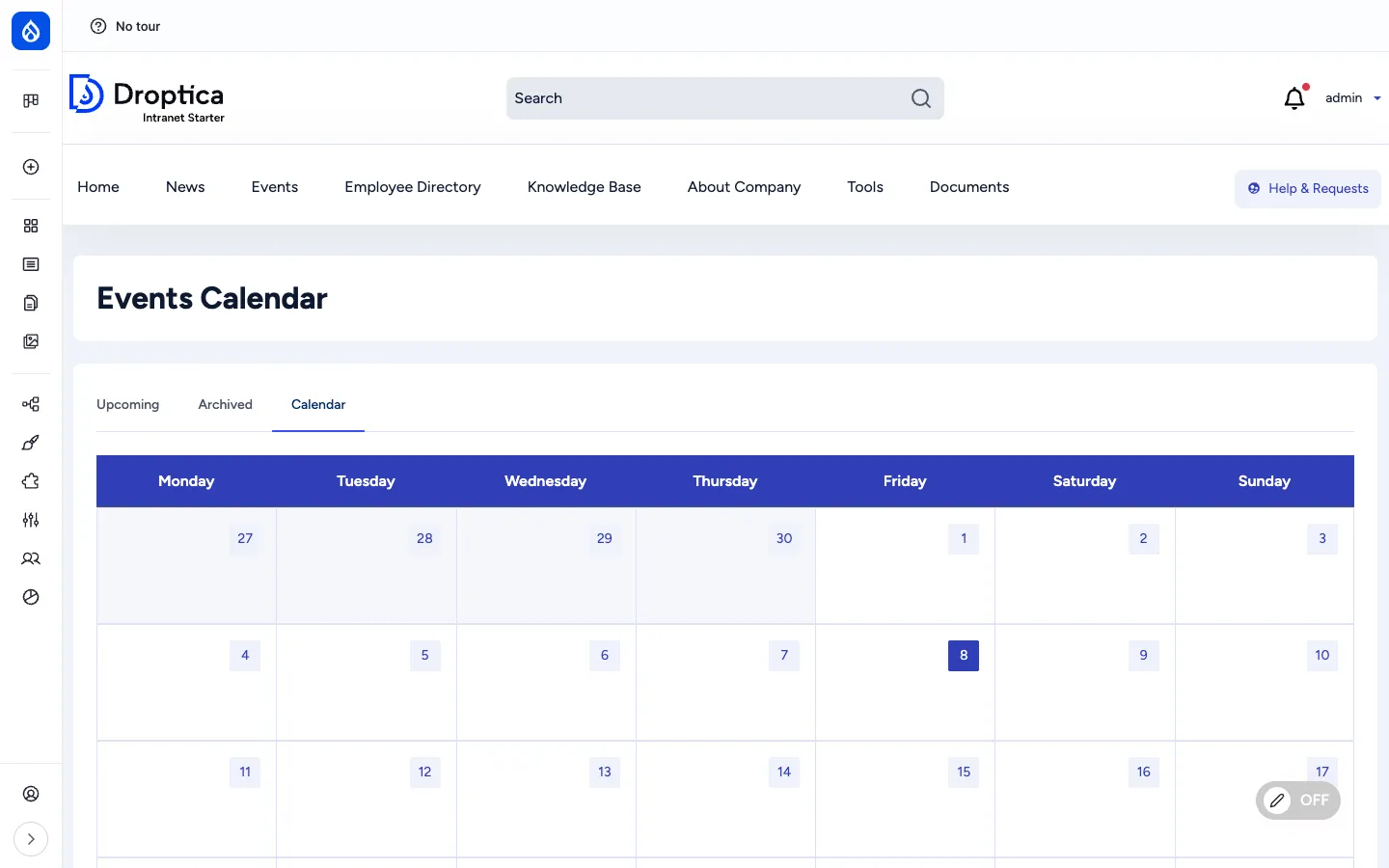
/events/archived. Same layout, but events whose end date is in the past. - Calendar —
/events/calendar. A month grid (Mon → Sun) with one cell per day. Events appear as coloured pills in the relevant cell; a click opens the full event page. Use the navigation controls to move between months.
The event detail page
Section titled “The event detail page”A single event is rendered with the title, key metadata block (date, location, description) and — for physical events — a Leaflet map below the description. The map zoom and centre are derived from the geocoded coordinates stored in field_map_location.
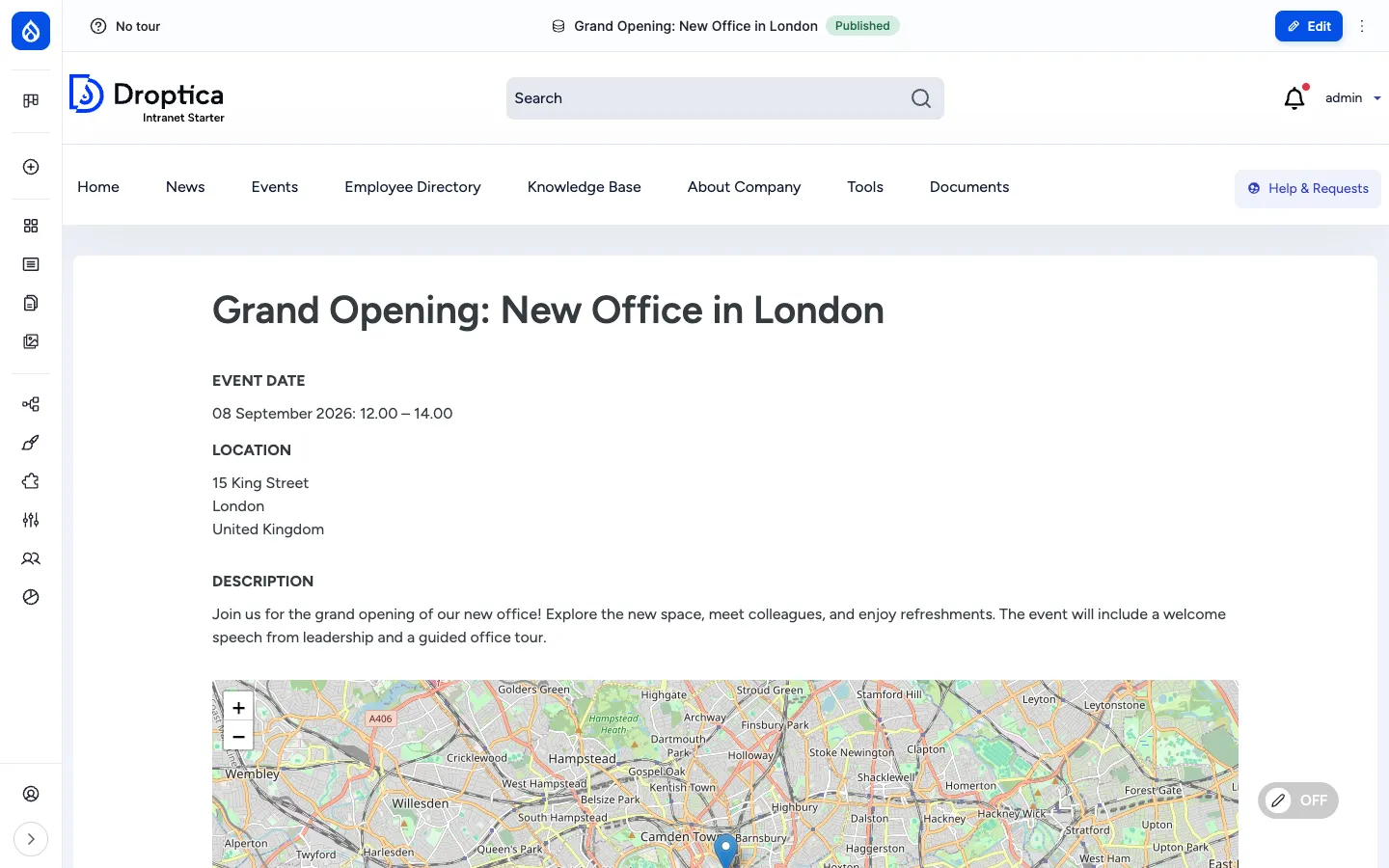
For online events the address block is replaced by the Event online text value (the meeting URL or dial-in details). For events with Hide location ticked, both the address and the map are hidden.
Events on the homepage
Section titled “Events on the homepage”The default front page (/news-homepage) reserves a slot in the right column for an Events block. It lists the next few upcoming events as compact rows: date pill on the left (day number + month abbreviation), then the start time, title and location. A click jumps to the full event page.
This block is provided by the events_blocks view, which can also be placed on any other Drupal page from /admin/structure/block.
URL pattern
Section titled “URL pattern”Event URLs are aliased automatically by Pathauto using the pattern /event/[node:title-slug]. The listings live at /events, /events/archived and /events/calendar.
Views that power the section
Section titled “Views that power the section”| View | Role | URL / display |
|---|---|---|
events_listing | Upcoming + Archived tabs | /events, /events/archived |
events_calendar | Month grid | /events/calendar |
events_blocks | Homepage and any other “upcoming events” block | placeable via Block layout |
content_calendar | Editorial calendar in the admin | /admin/dashboard/content-calendar |
Integration with other features
Section titled “Integration with other features”- Engagement scoring — Viewing an event detail page and interacting with it (where reactions / comments are enabled) feeds the user’s Engagement RFV score.
- Search — Events are indexed by the
default_indexSearch API index. Title, body and location are full-text searchable; users can filter results to events only. - Layout Builder — The single-event display is rendered with Layout Builder, so a site builder can rearrange the date / location / map / body blocks per content type without touching code.
- Notifications — When the Messenger module is enabled and configured, an admin can broadcast an event invitation by email or SMS to selected groups.
- Translations — When additional languages are enabled, events can be translated; each translation has its own date and location.
- Room Booking — The Room Booking recipe ships its own calendar (
room_booking_calendar) for booking conference rooms; the two calendars sit next to each other on the same site.
Permissions
Section titled “Permissions”| Capability | Default role(s) |
|---|---|
| View published events | Anonymous + authenticated user |
| Create / edit / delete own events | Content editor |
| Edit / delete any event | Content editor, Administrator |
| Set “Hide location” / “Event online” | Content editor (via standard edit permission) |
| View revisions / revert | Content editor, Administrator |
Modules behind it
Section titled “Modules behind it”- Drupal core:
node,views,path,datetime,datetime_range,editor,image,layout_builder address— postal address field for the locationgeofield— geocoded point storage for the mapleaflet,leaflet_views— Leaflet map renderingcalendar_view,calendar_view_multiday— month grid displayfullcalendar_view— alternative FullCalendar.io displaypathauto—/event/{slug}URL aliasdatetimehideseconds— keeps the date inputs short
Learn more
Section titled “Learn more”- How to use it — step-by-step procedures for browsing, adding and editing events
- Creating content — common authoring patterns shared by all content types
- Room Booking — the related, opt-in recipe for booking specific rooms / facilities