Events
The Events section helps you stay informed about company meetings, team outings, training sessions, and other scheduled activities.
Upcoming events
Section titled “Upcoming events”Click Events in the main menu to see a list of upcoming events sorted by date. Each entry displays:
- The month and day in a large format for quick scanning
- Event time and title
- The location (physical address or online meeting link)
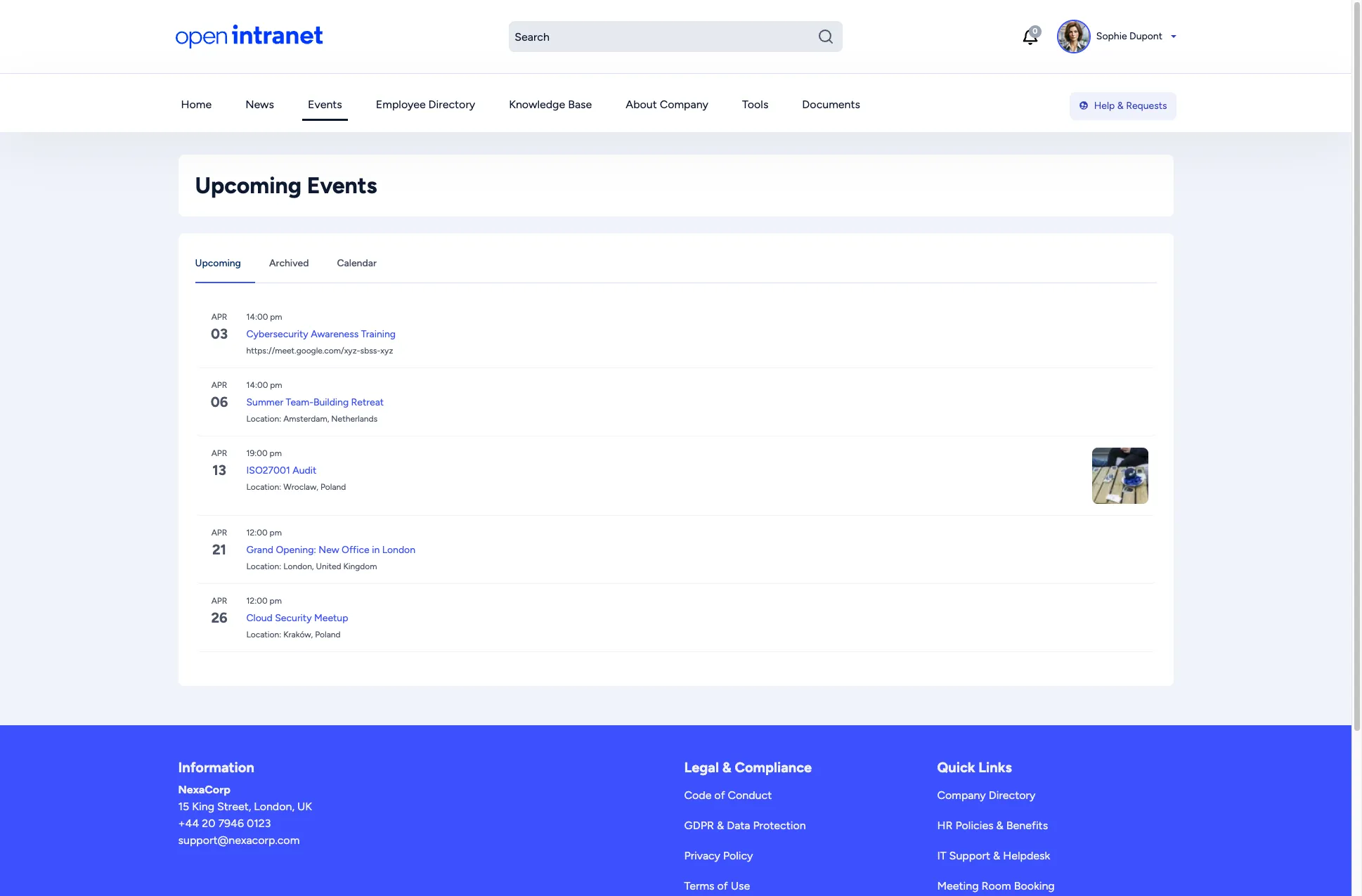
The events page provides three tabs:
| Tab | Description |
|---|---|
| Upcoming | Events happening in the future (default view). |
| Archived | Past events you may want to review. |
| Calendar | A monthly calendar grid showing events on their scheduled dates. |
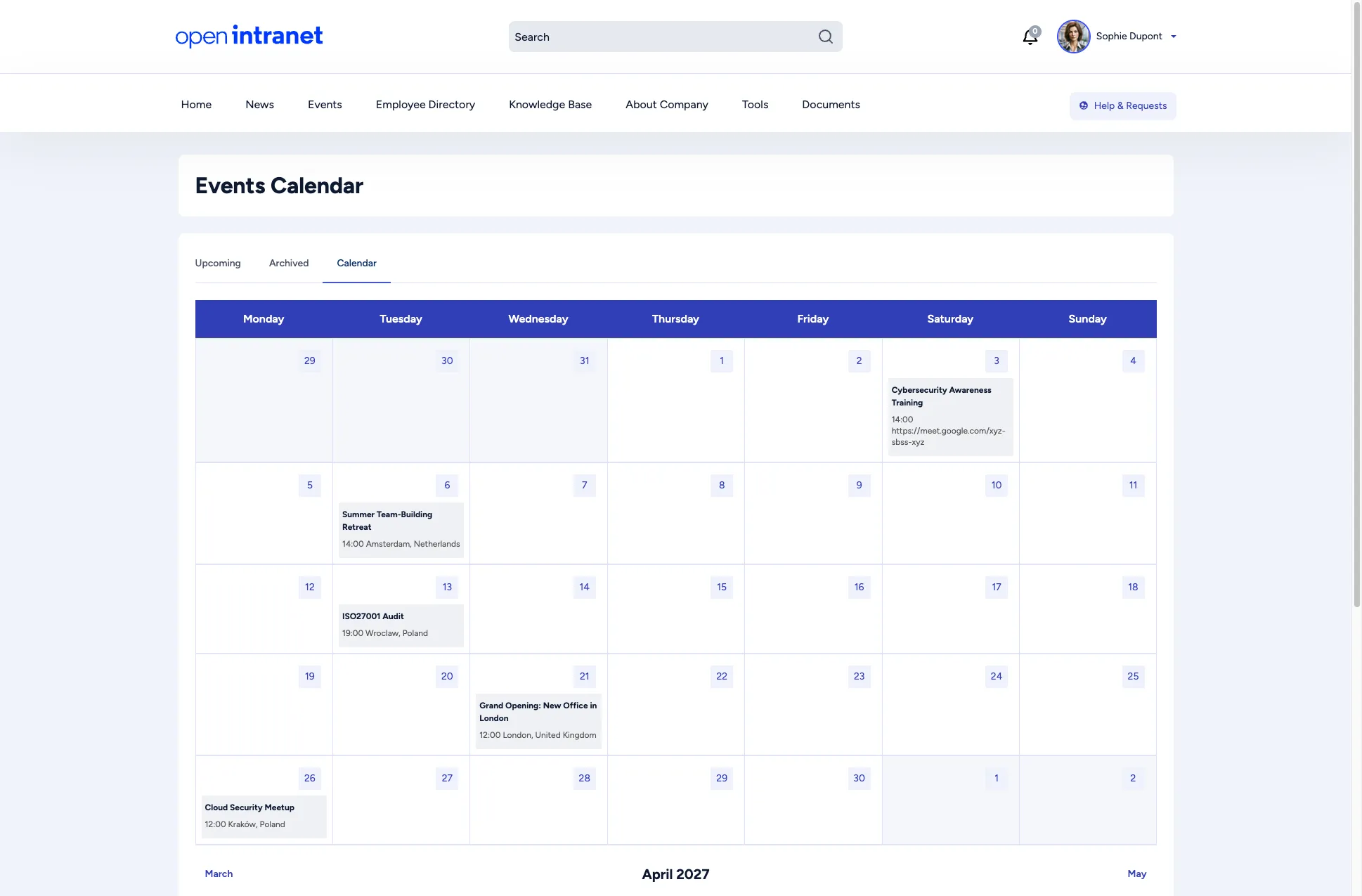
Calendar view
Section titled “Calendar view”Switch to the Calendar tab to see events laid out on a monthly grid. Navigate between months using the Previous and Next links at the bottom.
Event details
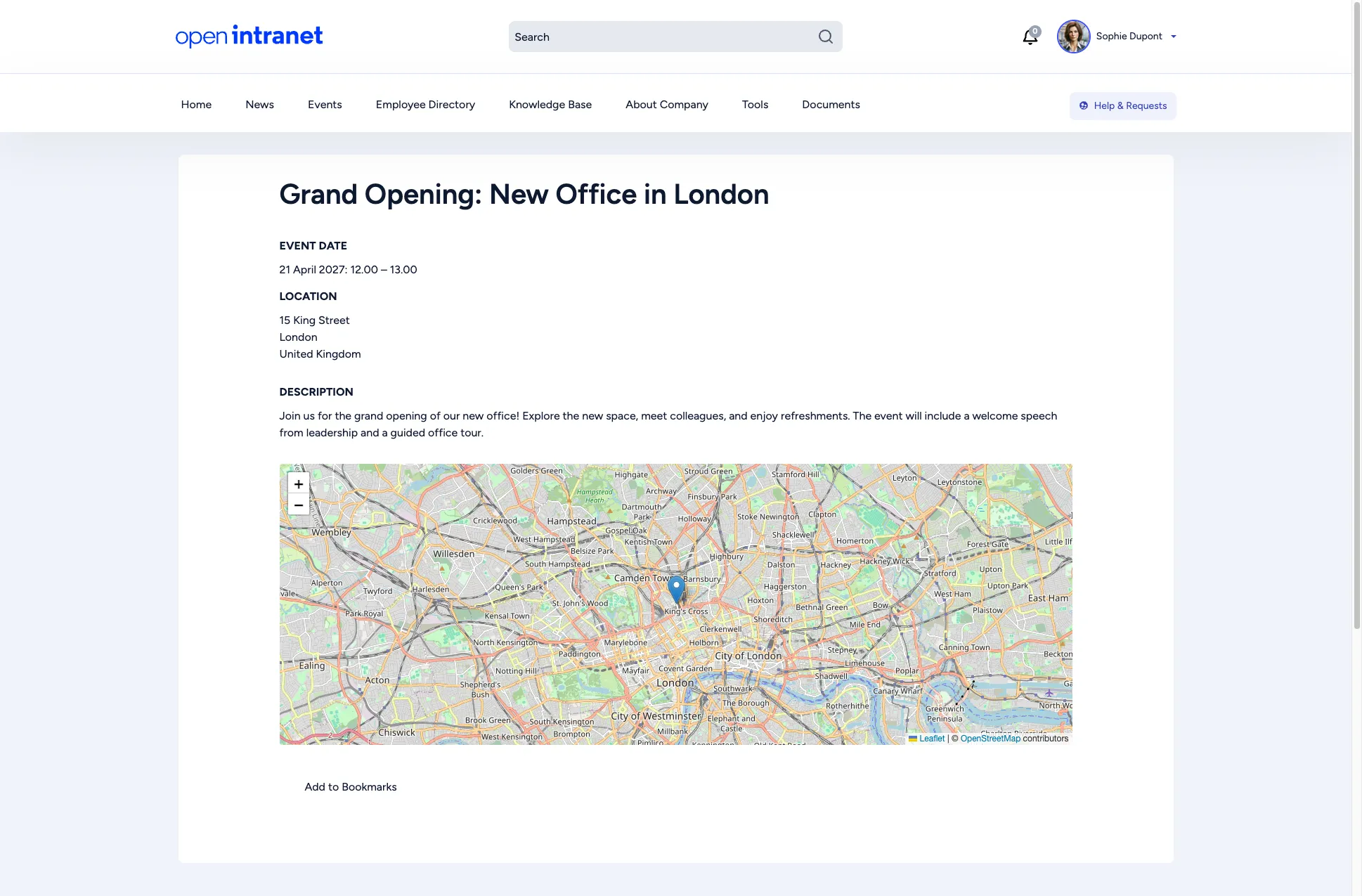
Section titled “Event details”Click any event title to see the full details:
- Event date — The exact date and time range.
- Location — The full address or meeting link.
- Description — A detailed explanation of the event, its purpose, and what to expect.
- Map — If a physical address is provided, an interactive map (powered by OpenStreetMap) shows the location.
- Add to Bookmarks — Save the event for quick access later.