

Employee Directory
The Employee Directory helps you find colleagues across the organization. It includes a searchable directory and an interactive organization chart.
Directory listing
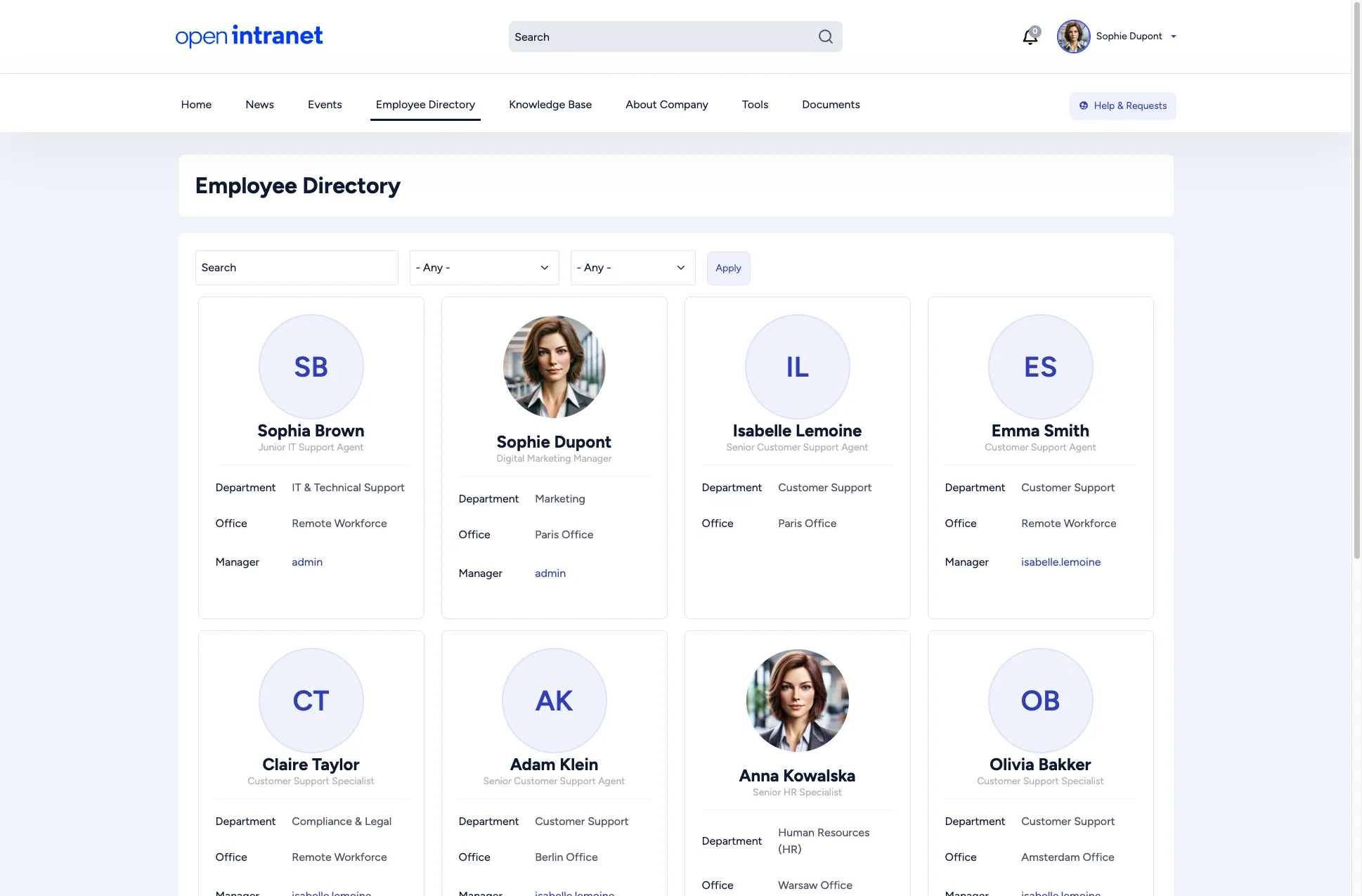
Section titled “Directory listing”Click Employee Directory in the main menu to see a grid of employee cards. Each card displays:
- Profile picture (or a default avatar)
- Full name and job title
- Department and Office location
- Manager (linked to their profile)
Searching and filtering
Section titled “Searching and filtering”Use the controls at the top of the page to narrow results:
| Control | Description |
|---|---|
| Search | Type a name or keyword to find specific employees. |
| Department | Select a department from the dropdown to filter by team. |
| Office | Select an office location to see who works there. |
| Apply | Click to apply the selected filters. |
The listing is paginated. Use the page numbers at the bottom to browse more employees.
Organization chart
Section titled “Organization chart”The organization chart visualizes the reporting structure as an interactive tree. Access it from the Highlighted links widget on the homepage or via the direct URL.
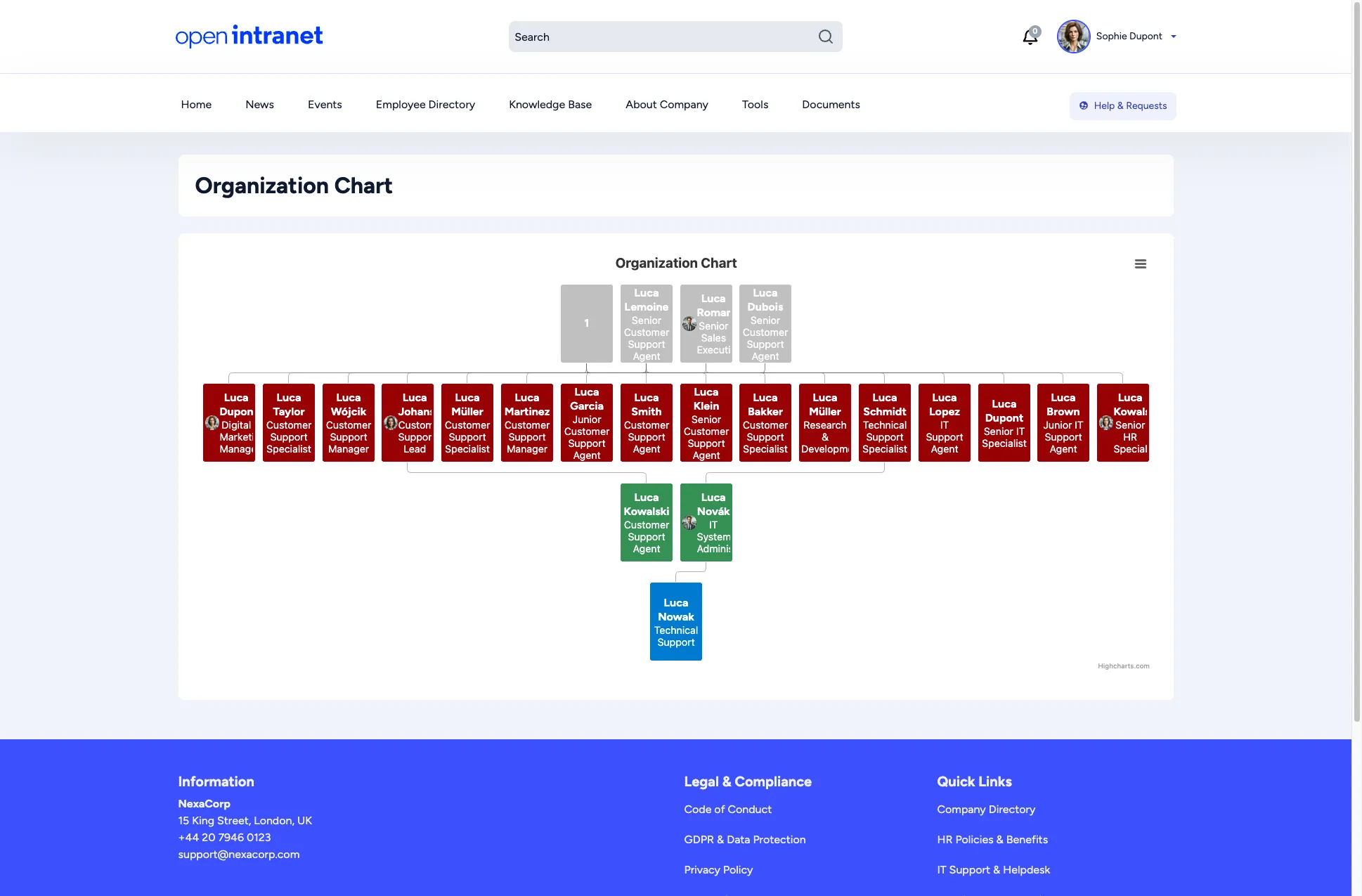
The chart is powered by Highcharts and supports:
- Interactive nodes — Click any person to see their details
- Hierarchical layout — Managers at the top, reports below
- Color-coded levels — Different colors distinguish management levels
- Menu button — Access additional chart options via the hamburger menu (☰)
Click any person’s node to navigate to their profile page.