

Engagement Analytics
Measure who actually uses your intranet, who is at risk of disengaging, and which content drives behaviour — out of the box, no external analytics required.
Overview
Section titled “Overview”The Engagement Analytics module ships with Open Intranet and tracks every user action against a configurable point system. Users are scored using the RFV model (Recency · Frequency · Value) and automatically classified into engagement segments. Eight ready-made admin reports turn that raw data into actionable insights for managers, content editors, and HR.
Key capabilities
Section titled “Key capabilities”- RFV scoring — Combine Recency, Frequency and Value of activity into a single score per user
- Automatic user segmentation — Champion · Loyal · At Risk · Dormant · New · Regular
- Generic entity tracking — Track any content entity type (nodes, comments, media, custom entities) with configurable points per operation
- Executive dashboards — KPIs, segment distribution, top contributors, content performance, activity patterns and department analysis
- CSV / Excel export — Filter by segment or date range; pipe straight into your BI tool
- Drush automation — Recalculate scores, generate summaries and export from the CLI or cron
- Privacy-friendly — All data stays inside your Drupal database, no third-party trackers
Where to find it
Section titled “Where to find it”After installation the reports live under Administration → Reports → User Engagement, or directly at /admin/reports/engagement. Configuration is at /admin/config/openintranet/engagement.
Dashboard
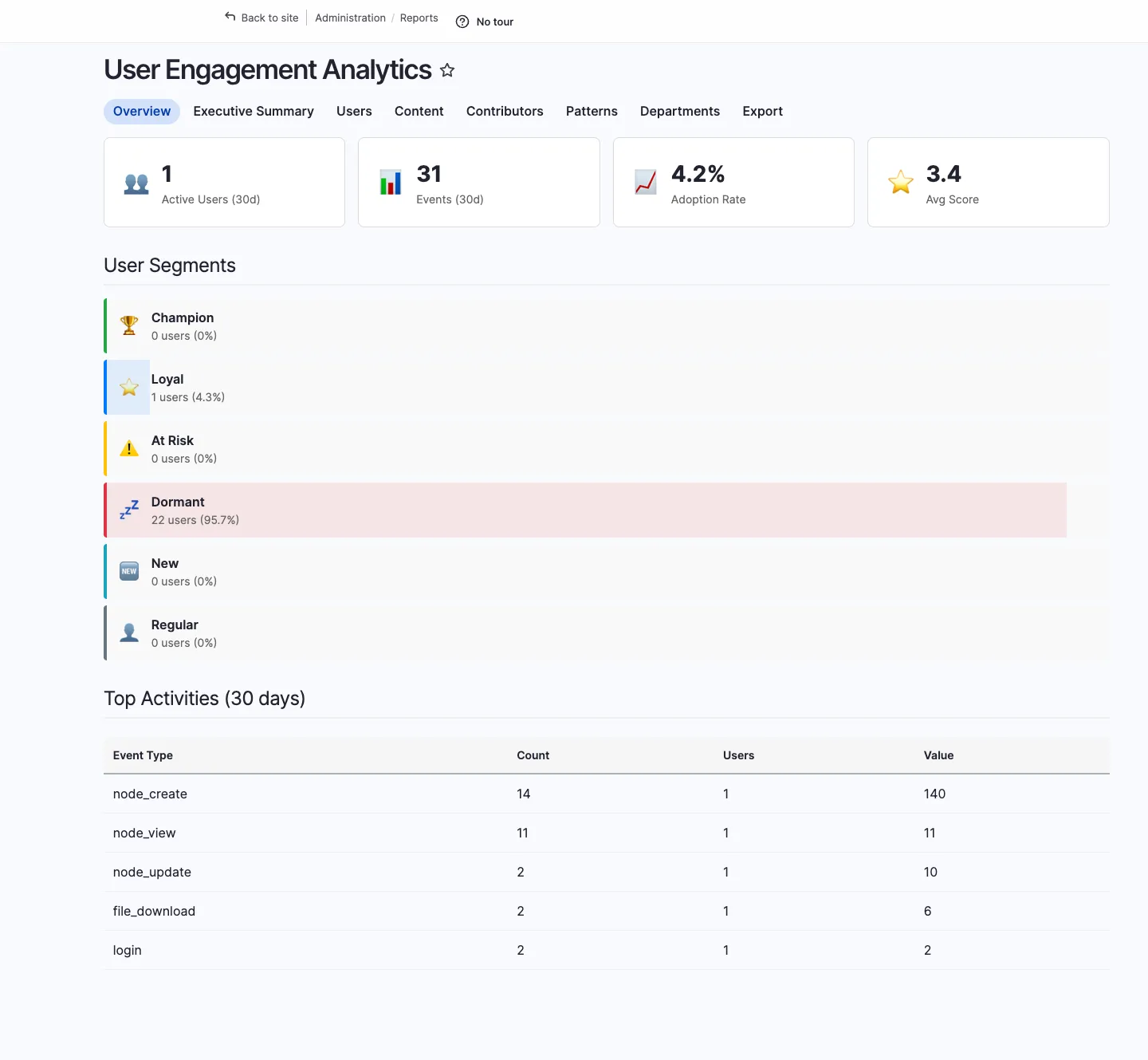
Section titled “Dashboard”The main dashboard at /admin/reports/engagement gives you the at-a-glance view: active users, total events, adoption rate, average engagement score, segment distribution, and the top activities for the last 30 days.
User scores
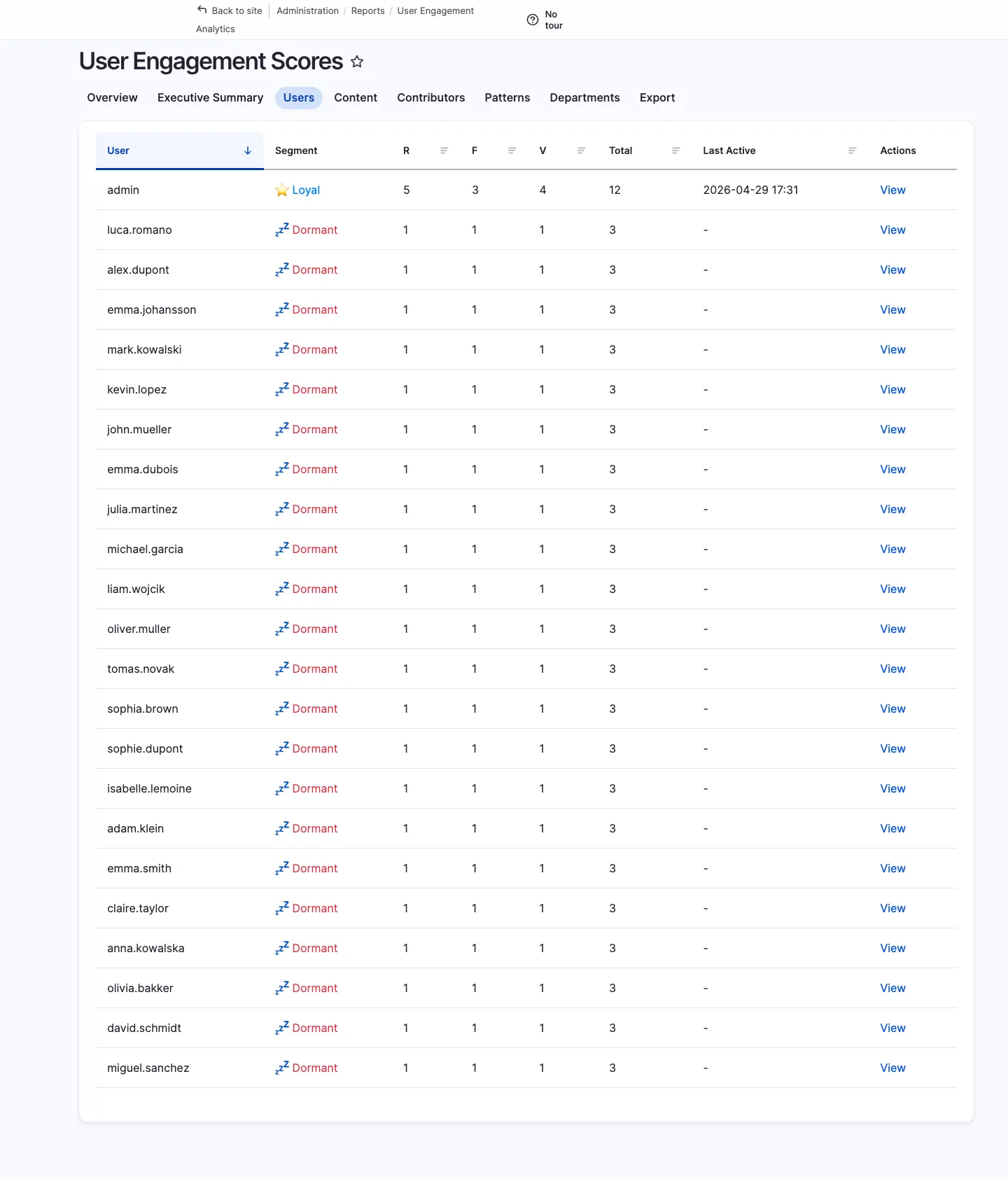
Section titled “User scores”/admin/reports/engagement/users lists every user with their current RFV breakdown, segment and total score. Click a row to drill into a single user’s activity timeline.
Executive summary
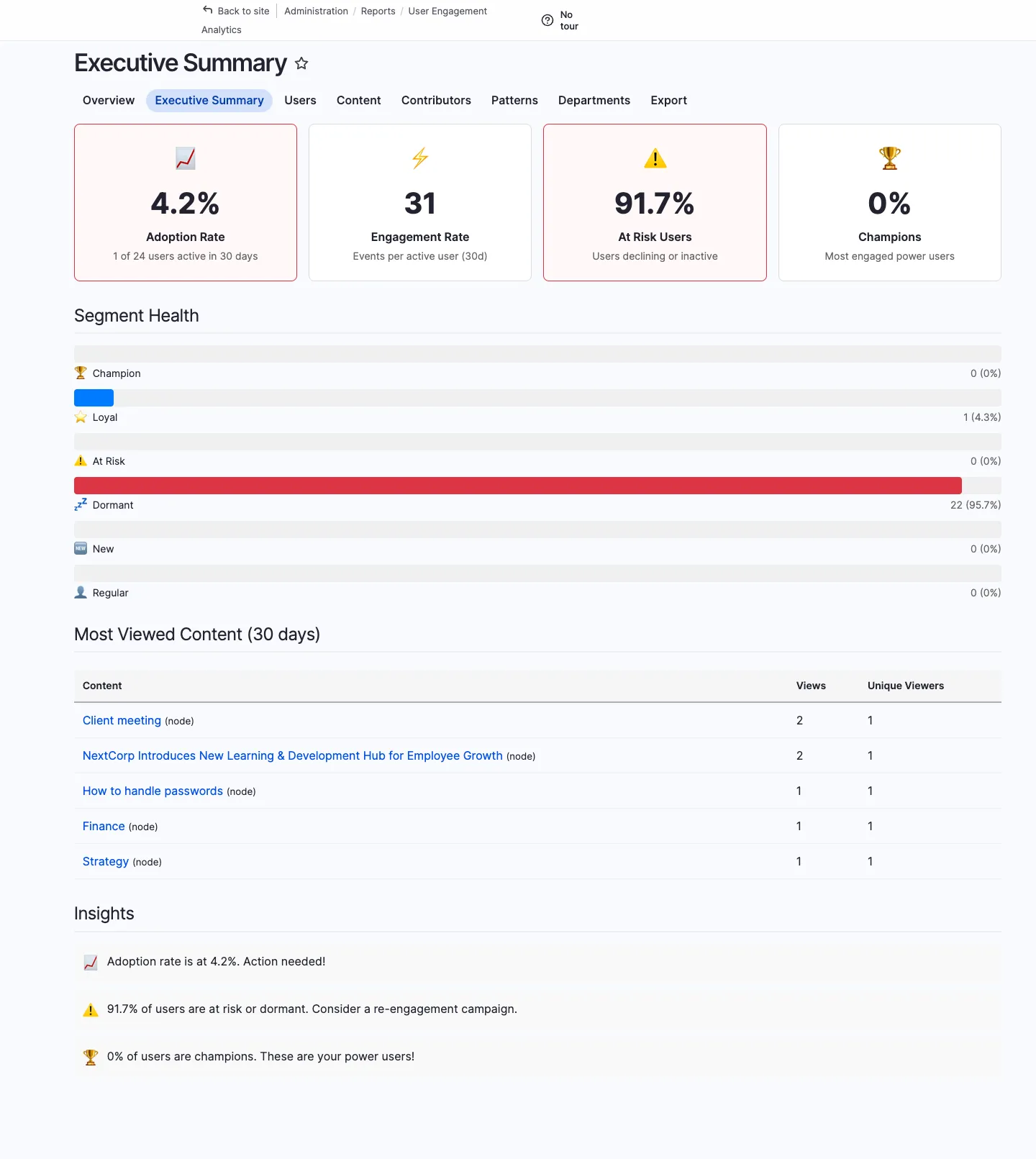
Section titled “Executive summary”/admin/reports/engagement/executive is the C-level view: adoption rate, engagement rate, at-risk users, champions, segment health, most-viewed content and a plain-English Insights block (“Adoption rate is at 4.2%. Action needed!”) — designed to be screenshot-pasted straight into a board deck.
Content performance
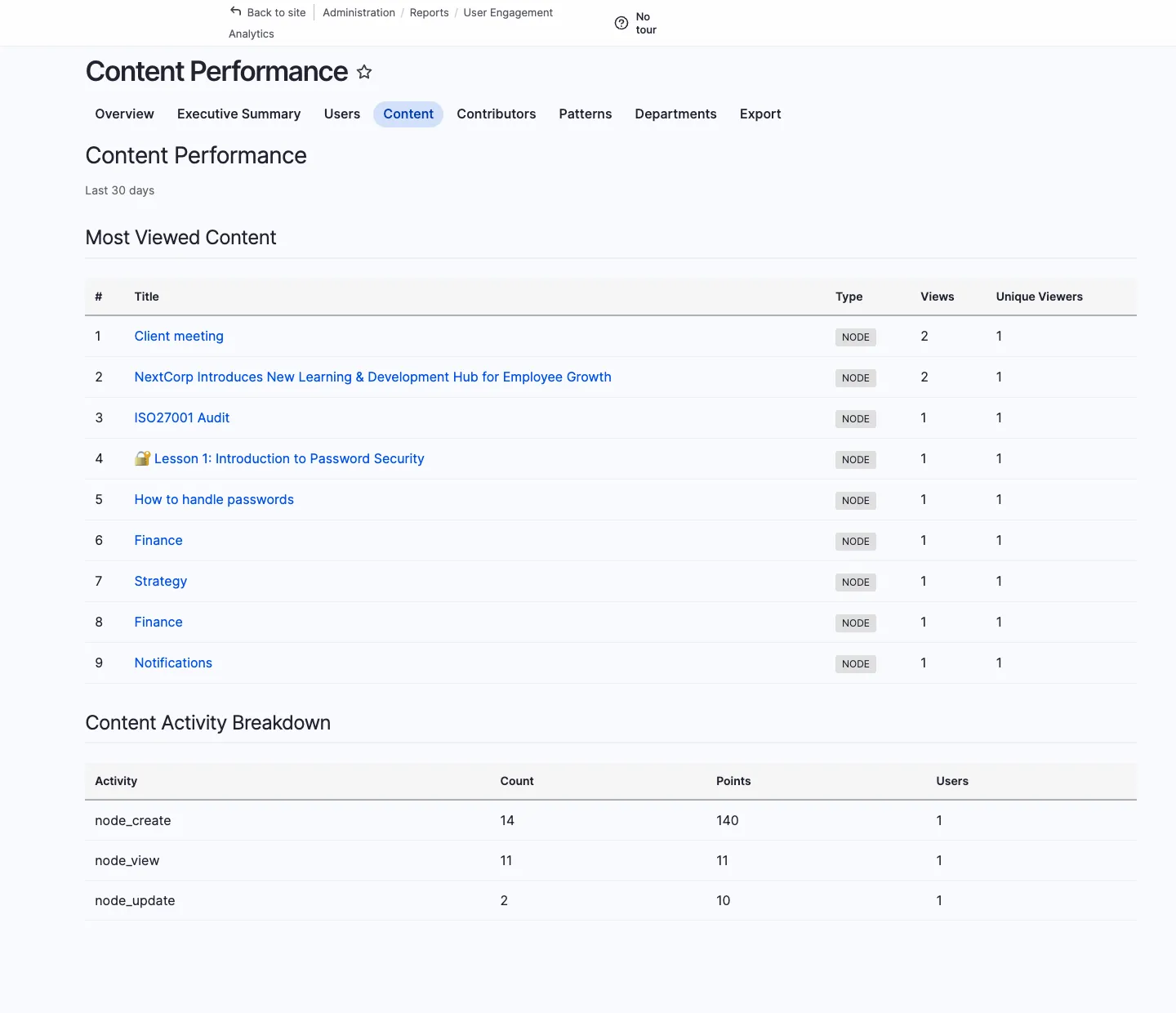
Section titled “Content performance”/admin/reports/engagement/content shows which articles, knowledge base pages and other entities drive the most engagement — views, time on page, comments, reactions.
Top contributors
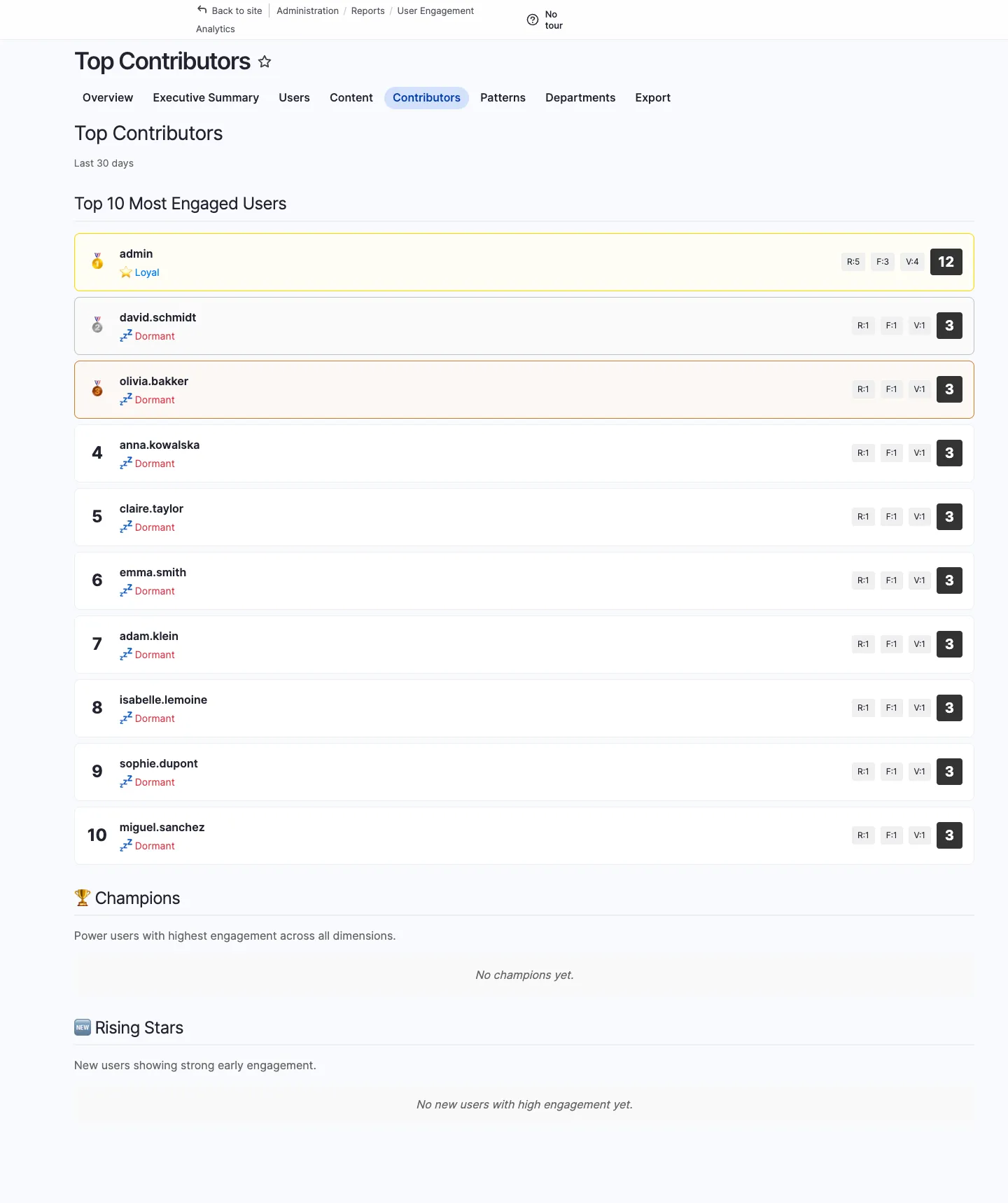
Section titled “Top contributors”/admin/reports/engagement/contributors ranks the people who publish, comment and react the most. Useful for kudos campaigns and identifying internal subject-matter experts.
Activity patterns
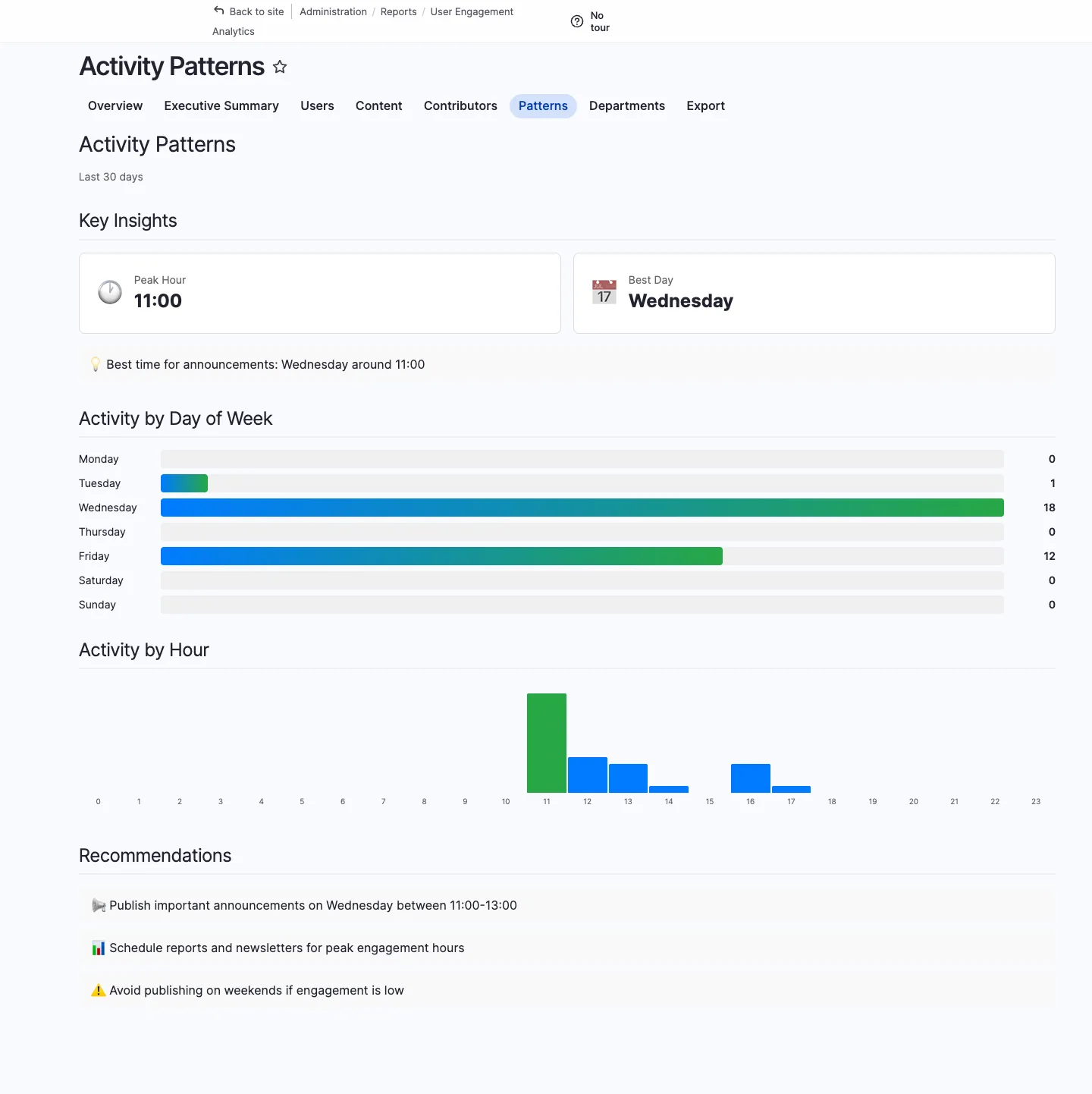
Section titled “Activity patterns”/admin/reports/engagement/patterns shows when your organisation actually uses the intranet — by hour of day and day of week. Plan publishing schedules and notifications accordingly.
Department analysis
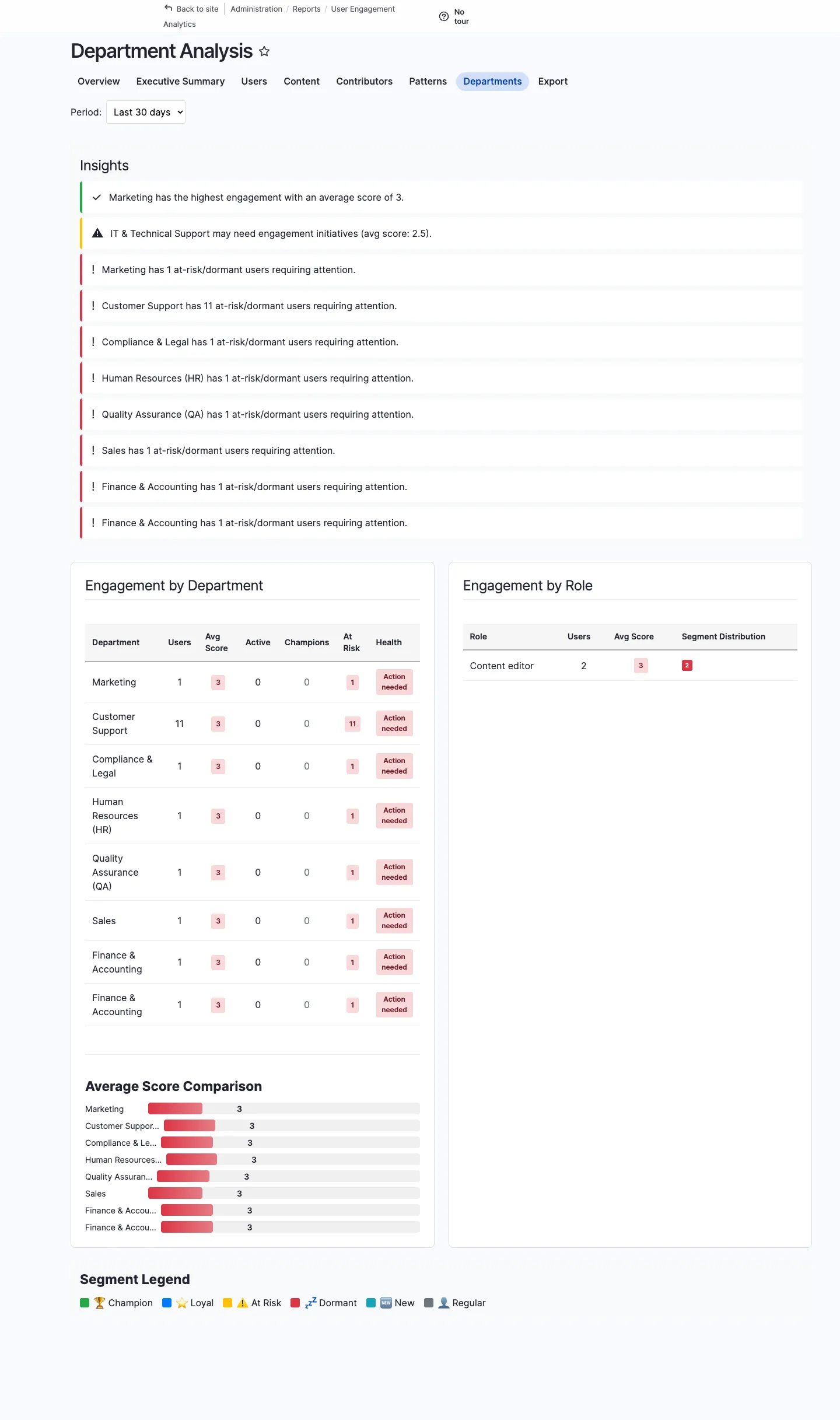
Section titled “Department analysis”/admin/reports/engagement/departments breaks scores down by team or group, so you can compare adoption between departments and identify ones that need a nudge.
Configuration
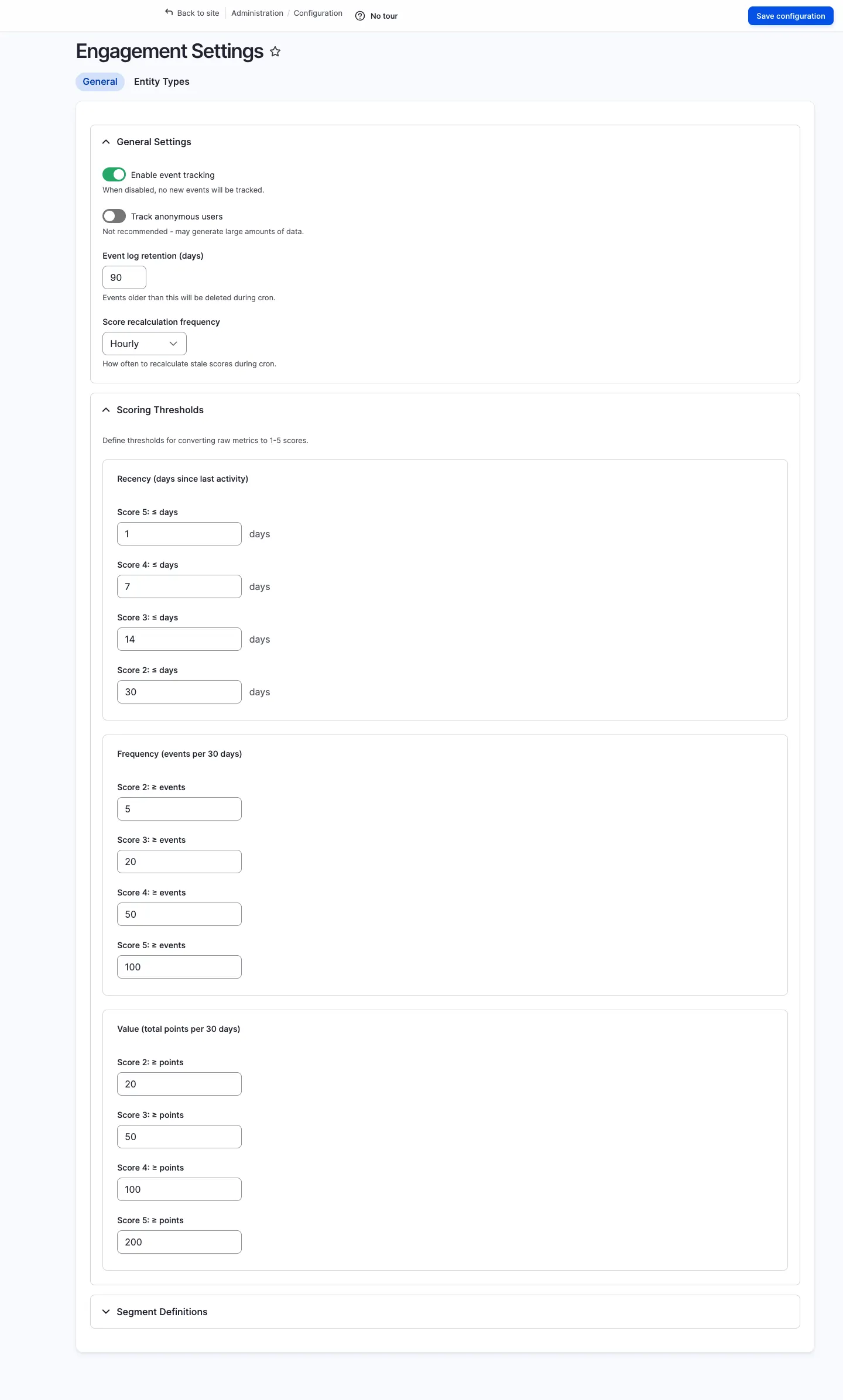
Section titled “Configuration”Open /admin/config/openintranet/engagement to enable tracking, tune RFV thresholds and choose which entity types to track and how many points each operation is worth.
Drush commands
Section titled “Drush commands”For automation and cron jobs:
drush engagement:recalculate # Recalculate all user scoresdrush engagement:segments # Show segment distributiondrush engagement:summary # Print executive summarydrush engagement:top 20 # Show top 20 engaged usersdrush engagement:cleanup # Purge old event data past retentiondrush engagement:export /tmp/users.csv --segment=at_riskPermissions
Section titled “Permissions”| Permission | Typical role |
|---|---|
administer openintranet engagement | Administrator |
view engagement dashboard | Manager, HR |
view engagement scores | Manager, HR |
view own engagement score | Authenticated user |
export engagement data | Manager, HR |
Tracking custom events
Section titled “Tracking custom events”You can track any custom action from PHP:
$tracker = \Drupal::service('openintranet_engagement.tracker');$tracker->trackEvent($user_id, 'custom_action', $entity_type, $entity_id, $points);The score is recalculated incrementally — no expensive recompute is required for individual events.