

Knowledge Base
The Knowledge Base is the central hub for internal documentation. It organizes articles into a hierarchical book structure, making it easy to find policies, procedures, department-specific information, and more.
Accessing the Knowledge Base
Section titled “Accessing the Knowledge Base”Click Knowledge Base in the main menu. The sub-menu shows top-level categories (departments) that you can jump to directly:
- Company
- Finance
- HR & Recruitment
- Marketing
- Operations/Delivery
- Sales
- Strategy
- Other
Browsing articles
Section titled “Browsing articles”Each Knowledge Base article is part of a book — a hierarchical tree of related pages. When you open an article, a sidebar on the left shows:
- A search field to filter the table of contents
- The full book outline grouped by department, with expandable/collapsible sections
- The current page highlighted for orientation
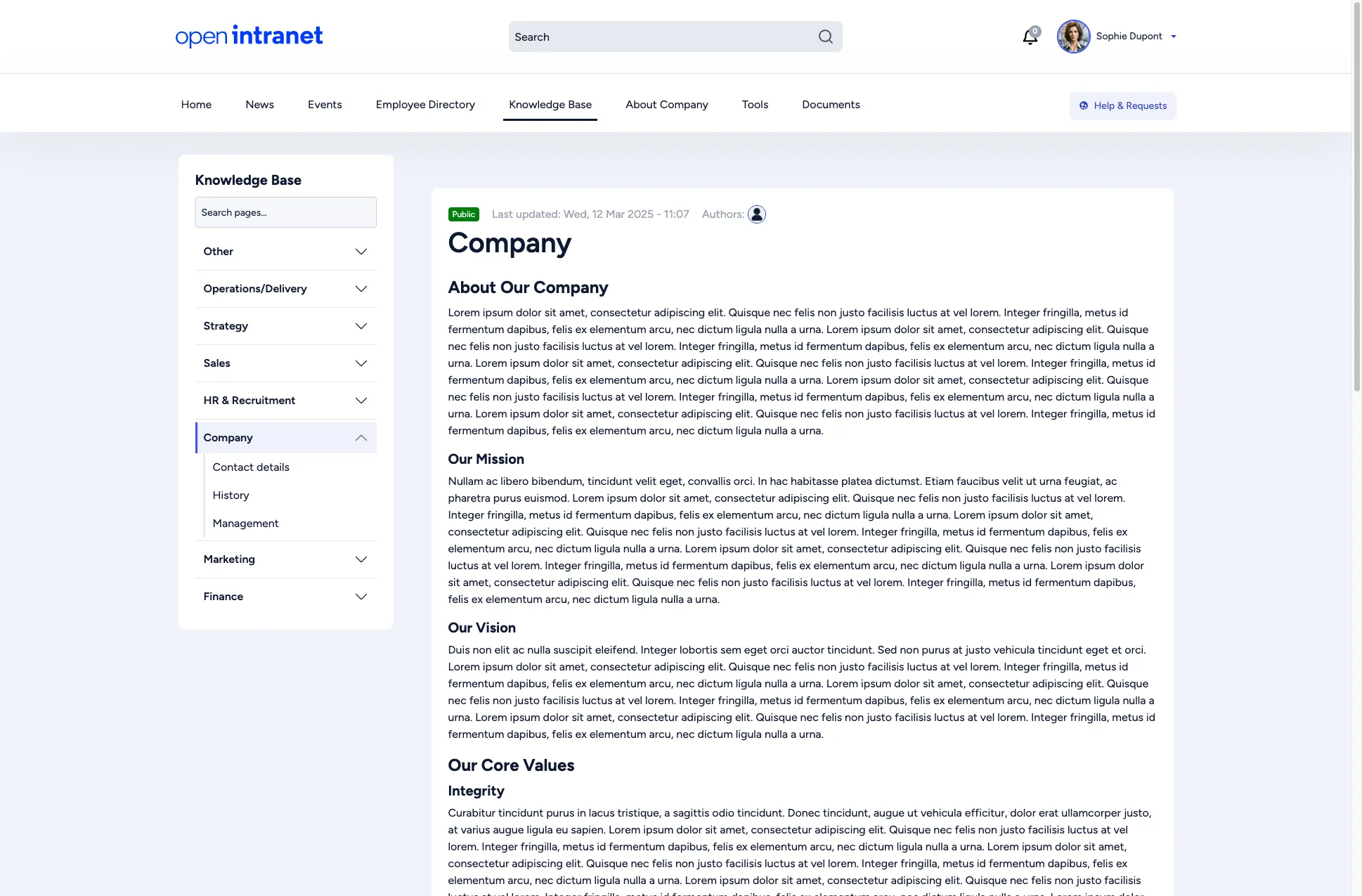
The article itself displays:
- A visibility badge (e.g. Public) indicating who can see the page
- The last updated date and author
- The full article content with headings, text, and any embedded media
- Tags for categorization
Navigating the book structure
Section titled “Navigating the book structure”Use the sidebar to move between pages within the same book. Click any title to jump directly. Use the expand/collapse arrows to reveal or hide sub-pages.
The book structure lets your organization maintain living documentation that evolves over time, with clear ownership and a logical hierarchy.
Adding and editing pages
Section titled “Adding and editing pages”Users with an editor role create Knowledge Base pages from Create > Knowledge Base Page; see Creating a knowledge base page. Placing a page in the book structure is done by an administrator (how).