Extranet for partners: keep agents and volunteers in separate groups

Partners, agencies, agents, and volunteers can share one intranet without seeing each other. But that separation must extend beyond navigation. Content, files, directories, search, and notifications all need access controls.
An extranet for partners gives each external team a useful place to find its information and work with your organization. With Open Intranet, you can start by configuring its existing access controls, then assess additional Drupal modules when the collaboration model needs more.
The practical choice is between restricting information to selected audiences and creating workspaces with their own membership roles and responsibilities. Start with the simpler approach that meets your needs, then test the boundaries across the whole employee and partner experience.
In this article:
- What should each external group be able to see?
- How do you give external people the right access?
- How do you stop agencies from seeing each other?
- How do you handle partner staff who change every month?
- Can sensitive files stay in the source system?
- Should the public website and extranet be separate?
- What is built in, configured, or custom work?
- Ready to start?
What should each external group be able to see?
Start with an access matrix, not a list of portal features. This gives HR, internal communications, and IT a shared definition of who can see each space, document, discussion, member profile, and internal contact. It also helps avoid rework when different teams interpret “private” differently.
The following is a hypothetical starting point:
| Group | Permitted content | Visible people |
|---|---|---|
| Authorized internal administrators | Spaces required for their responsibilities | Members needed for administration |
| Partner A | Partner A space and approved shared resources | Partner A members and assigned internal contacts |
| Partner B | Partner B space and approved shared resources | Partner B members and assigned internal contacts |
| Agents | Assigned agency space and agent resources | Permitted colleagues and internal contacts |
| Volunteers | Assigned volunteer space and resources | Permitted coordinators and fellow volunteers |
| Temporary contractors | Assigned project content during their engagement | Assigned project contacts |
For each row, specify whether members can read, contribute, approve content, or manage membership. These are different permissions.
Organization membership and job role answer different questions. Two agency coordinators may both need permission to upload documents. However, each must be restricted to their own agency’s space. Giving both people a shared “coordinator” role does not, by itself, establish that boundary.
Next, clarify what “must not see each other” means:
- Content isolation: Groups cannot open each other’s documents or discussions.
- Discovery isolation: Groups also cannot discover each other’s names, members, profiles, or activity.
The second requirement is stricter. A group label in a filter or an author’s name in a search result can violate it even when the underlying document remains inaccessible.
How do you give external people the right access?
Start with the people you want to serve and the information each group needs. Partner staff may need shared instructions and their own project documents; volunteers may need guidance for an assigned location. Their accounts should follow those responsibilities, not automatically receive the same access as internal employees.
The implementation budget covers the work of configuring and operating that experience: access setup, hosting, support, and any additional integrations. The key decision here is how the portal should work for each audience, not how to purchase Drupal seats.
Drupal provides user accounts, roles, and permissions as a baseline. External users do not inherently need employee mailboxes, although their login method and contact address must satisfy your identity and account-recovery policies.
A controlled onboarding process should connect account creation to approval and group assignment:
- An internal owner requests or approves access for a named person.
- The account is created using the agreed identity process.
- The person receives membership in the approved organization or project space.
- The system grants only the permissions required for that membership.
- The owner records an access review date or end date where appropriate.
For example, approving a Partner A worker should grant access to Partner A’s space, not to a general external-user area containing every partner’s material.
Public registration must not let someone select an organization and grant themselves access. Invitations, approvals, group assignment, and authentication requirements depend on the selected modules and configuration. Drupal’s account system alone is not a complete external-access workflow.
How do you stop agencies from seeing each other?
Build the boundary into access checks, then test every place where information can appear.
Start with Open Intranet Access
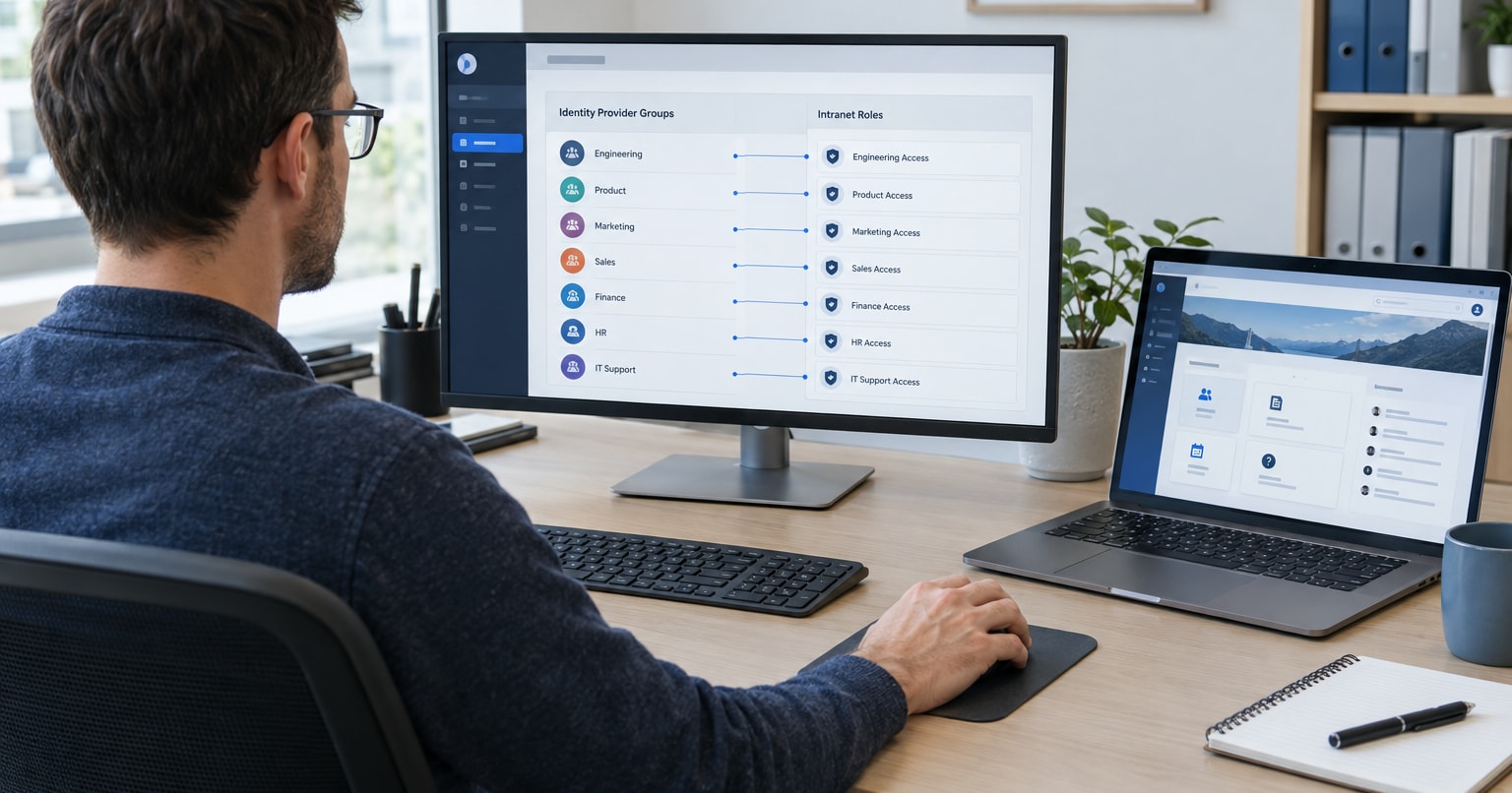
Open Intranet Access provides OI Groups and per-item restrictions. Administrators maintain membership and use the Access tab to select the groups or individual users allowed to see supported content. This is the starting point for audience separation, not something you must build from bare Drupal.
For a hypothetical partner portal, create separate Partner A and Partner B audiences, assign their named accounts, and configure each collection for its intended readers. Test shared resources separately from partner-specific material.
The document administration guide identifies Access as enabled in the default installation. Restrictions still need configuring: an item without restrictions falls back to ordinary viewing permissions. Folder and document grants combine as a union, so adding a document-level grant can widen access rather than narrow inherited access. Review owner and administrator exceptions too.
Add Group when you need workspace-specific responsibilities
Drupal’s contributed Group module supports collections of users and content with permissions scoped to each group. It is an option when, for example, a partner needs members who read and coordinators who manage content within that partner’s workspace.
Group is an additional module, distinct from Open Intranet’s OI Groups. Assess compatibility, content integration, and the intended permission model before introducing it. It is not automatically stronger isolation, and enabling it does not by itself hide every profile or notification.
Use Open Intranet Access for audience restrictions where it meets the requirement. Evaluate Group for group-specific responsibilities, or additional implementation for specialized workflows. If both access systems are involved, define how their rules interact rather than assuming their grants make access more restrictive.
Whichever route you choose, check the following layers.
Protect spaces and files
Each restricted page, discussion, and document needs an authorization check based on the user’s permitted membership.
Attachments need their own protection. A restricted page containing a publicly accessible file link is not a private document library. File access must be checked even when someone bypasses the page and requests the file directly.
Restrict people discovery
If agencies must remain unaware of each other, review:
- User directories and member lists.
- Profile pages and author links.
- Member search and autocomplete fields.
- Group names, filters, and membership labels.
- Activity feeds and participant lists.
An external user should see only the people allowed by the access matrix. Disabling the main directory is not enough if a comment author link still reveals another agency’s worker.
Check search, notifications, and integrations
Search results, email notifications, activity feeds, and exposed APIs must respect group membership. A protected discussion should not appear in another group’s email digest.
Caching also needs attention. A response generated for Partner A must not later be served to Partner B if it contains restricted information.
These checks should cover both content and metadata. A search result that hides a document’s body but reveals its confidential title still exposes information.
Define anonymous comments precisely
Sometimes organizations want volunteers or agents to comment without showing their names to peers. That is a separate requirement from group isolation.
Clarify who may identify the author. Authorized administrators may need that information for moderation and accountability, while other participants should not see it.
Hiding the displayed name is insufficient if a profile link, notification, or API response identifies the person. Peer-anonymous comments require a confirmed implementation route, not an assumption that this behavior is built in.
Finally, test with Partner A and Partner B accounts, an unassigned external account, and a logged-out visitor. Partner B must not find Partner A’s members or content through search. A copied Partner A document link must not let Partner B download the file.
How do you handle partner staff who change every month?
Make departures as predictable as arrivals. Otherwise, a portal that starts with correct permissions can gradually accumulate accounts belonging to people who no longer need access.
Give each external organization an internal access owner. That owner should know who can request membership, who approves it, and how departures are reported.
Use named accounts rather than shared agency logins. When one worker leaves, you can remove that person’s access without changing a password used by everyone else. Named accounts also support clearer activity records.
For contractors, seasonal workers, and short-term volunteers, record an access end date. However, an end-date field does not revoke access by itself. Reminders, scheduled removal, and membership reviews require supported modules, configuration, or development.
Consider this hypothetical workflow:
- A seasonal contractor receives access to one project space through August 31.
- The internal owner receives a reminder before the access expires.
- An extension requires approval.
- Without an approved extension, access ends at the agreed cutoff.
- A test confirms that the former contractor can no longer retrieve protected content.
Each step must be supported by the implementation, including the timing of access removal.
Offboarding must address active sessions and connected systems, not just future logins. Removing portal access should also prevent further protected file retrieval through an integration.
Historical comments and documents need a separate retention decision. Revoking access should not accidentally erase records your organization must retain.
Partner-admin self-service can reduce internal administration, but it is a separately scoped workflow. A partner coordinator who manages staff must be able to manage only their own organization. Automated identity synchronization also needs explicit rules for arrivals, membership changes, and departures.
Can sensitive files stay in the source system?
Yes, an on-demand integration can avoid maintaining a second document library in the extranet.
Instead of uploading a duplicate, the portal displays an authorized document reference. When a user requests the file, the portal checks access and retrieves the permitted document from the source system.
This can reduce duplicate-file maintenance and keep retrieval tied to the source’s current content. It is integration work unless a verified connector already meets the requirements.
The access flow needs particular care:
- Identify the signed-in portal user.
- Check that person’s group membership and permission to request the document.
- Map that authorization to the source system’s access rules.
- Retrieve only the permitted file.
- Deliver it through a protected response.
Membership in Partner A must not automatically authorize every document reachable by a shared service account. Source credentials should stay on the server, and sensitive documents must not be exposed through public file URLs.
Also, “fetched on demand” does not mean “never copied anywhere.” Files may pass through temporary storage or caches. An authorized download creates a copy on the recipient’s device.
Agree on:
- Whether temporary storage is allowed and for how long.
- How cached files and links are protected.
- What retrieval activity is logged.
- Whether downloading is permitted.
- What happens when the source is unavailable or denies access.
Revoking access should prevent subsequent retrieval, including through cached links or files. It cannot recall a document someone already downloaded.
If the source system refuses access or is unavailable, the portal should explain the outcome without revealing sensitive system details.
Should the public website and extranet be separate?
Keeping public publishing separate from restricted collaboration reduces the risk of private material reaching a public page, search feed, or directory.
The two systems serve different audiences:
- The public website serves anonymous visitors and publishes approved public content.
- The extranet serves authenticated people whose access depends on their membership and role.
Separate applications or deployments are worth considering when stronger operational separation is required. They can separate release processes, administration, and storage. The trade-off is additional hosting and maintenance work.
They can still share visual branding, so users recognize the same organization without the systems sharing every publishing mechanism.
A different hostname alone is not an access boundary. Whether the portal uses a separate domain or shares infrastructure, private information still needs authorization checks and protected storage.
Define any content exchange deliberately. For example, the extranet might display approved public news while keeping partner discussions private. Automatic sharing in both directions adds exposure unless every content type has a clear publishing rule.
For HR and communications teams, this distinction should be visible in the editorial process: authors need to know whether they are publishing to the public, all approved external users, or one restricted group.
What is built in, configured, or custom work?
Open Intranet gives you an access-control starting point. The remaining work depends on whether you need restricted reading, delegated collaboration, or stronger separation between organizations.
| Approach | When to assess it | Work to agree |
|---|---|---|
| Configure Open Intranet Access | Defined audiences need different content | Membership, content restrictions, exceptions, and access tests |
| Extend with Drupal Group | Each organization needs its own workspace responsibilities | Module compatibility, scoped roles, content integration, and interaction with existing access rules |
| Add targeted integration or development | Specialized account workflows, identity hiding, or protected source-system retrieval are needed | The specific behavior, authorization rules, and ongoing support |
| Separate deployments | Requirements call for separate operational or administrative boundaries | Hosting, identity, updates, and maintenance for each deployment |
Do not add modules just to make the architecture look more elaborate. Demonstrate the simpler setup first and extend it where an actual requirement remains unmet.
The useful question is not simply “Does it support groups?” It is “Does this installation enforce our boundaries everywhere they matter?”
Turn the answer into acceptance criteria:
- Partner A cannot discover Partner B’s members, group labels, or restricted content where discovery isolation is required.
- Unauthorized accounts cannot open protected pages or download files through direct links.
- Search, notifications, APIs, and cached responses preserve the same restrictions.
- Peer-anonymous comments do not expose author identity through secondary routes.
- Expired accounts or memberships lose access at the agreed cutoff.
- Sensitive-file retrieval checks authorization and respects revocation.
- Public publishing does not expose restricted content.
These tests should remain part of maintenance. A new search feature, notification template, or integration can create another route to information even when the original group spaces remain protected.
Ready to start?
A useful extranet for partners gives each person the information they need without exposing other organizations or leaving former workers with access. Start with a clear access matrix, an account lifecycle, and agreed rules for sensitive files.
Bring a sample group structure, your staff-rotation process, and one sensitive-file requirement to an Open Intranet walkthrough. Together, we can map those requirements to existing features, configuration, or custom work and agree on the isolation tests your implementation must pass.