Should your intranet be reachable from the internet or stay on the company network?

An intranet reachable from the internet needs an account for everyone who will use it. An intranet on the company network only can run without login, but then everyone sees the same content, nobody can confirm they read an announcement, and a request cannot be tied to a person. So the choice comes down to identity: does the intranet need to know who reads and who submits?
This guide is for IT and HR people in companies with several plants, where some staff work on the shop floor or in a warehouse without a computer or a company email address. Make this decision before you pick a vendor. It determines the integrations you need and who on your side will manage accounts.
In this article:
- Two decisions hidden in one question
- Option 1: company network, no login
- Option 2: company network, with login
- Option 3: reachable from the internet, with login
- What to do with employees outside Active Directory
- How to decide
- FAQ
Two decisions hidden in one question
The question “internet or company network” combines two separate things. The first is location: where the intranet can be opened from. The second is identity: whether the system knows who opened it. That gives three options you can realistically deploy.
| Company network, no login | Company network, with login | Internet, with login | |
|---|---|---|---|
| Content for one department or plant only | no | yes | yes |
| Confirmation that an announcement was read | no | yes | yes |
| Requests and forms with the submitter’s details | no | yes | yes |
| Access from a personal phone outside the plant | no | via VPN or proxy | yes |
| Who creates accounts | nobody | IT and HR | IT and HR |
The fourth combination, internet without login, is a public website. It does not work for internal content. We also advise against putting a VPN in front of an intranet without login: you hand out access to the company network to people the intranet still cannot recognize.
Option 1: company network, no login
This is the simplest start. The intranet runs on a server in your building, a computer on the shop floor or in the break room opens it in a browser, and nobody has to remember a password.
The limit comes from how permissions work. In Drupal, which Open Intranet is built on, everyone who is not logged in shares one role, anonymous, and permissions are granted to roles. So every anonymous visitor sees exactly the same thing. The intranet cannot tell a shift supervisor in plant A from an accountant at headquarters.
In practice this leads to three limits:
- An announcement for one plant is visible to every plant.
- You cannot check who read the new health and safety procedure. The must-read report shows who read it, when, and who has not yet. Without login there are no names in it.
- A form accepts a submission from anyone who types any name. You cannot build a request that needs a manager’s approval on top of that.
One workaround is a separate site for each subsidiary or plant, with the link sent only to its people. That organizes content but does not protect it. A link can be forwarded, and the system still does not know who opened it.
Security is a separate matter. The zero trust model, described by NIST in 2020 in SP 800-207, assumes that being on the local network grants no trust by itself. An intranet on the internal network also has to be updated and protected.
This option makes sense when the intranet is a company-wide notice board: news, an events calendar, policies that every employee may read.
Option 2: company network, with login
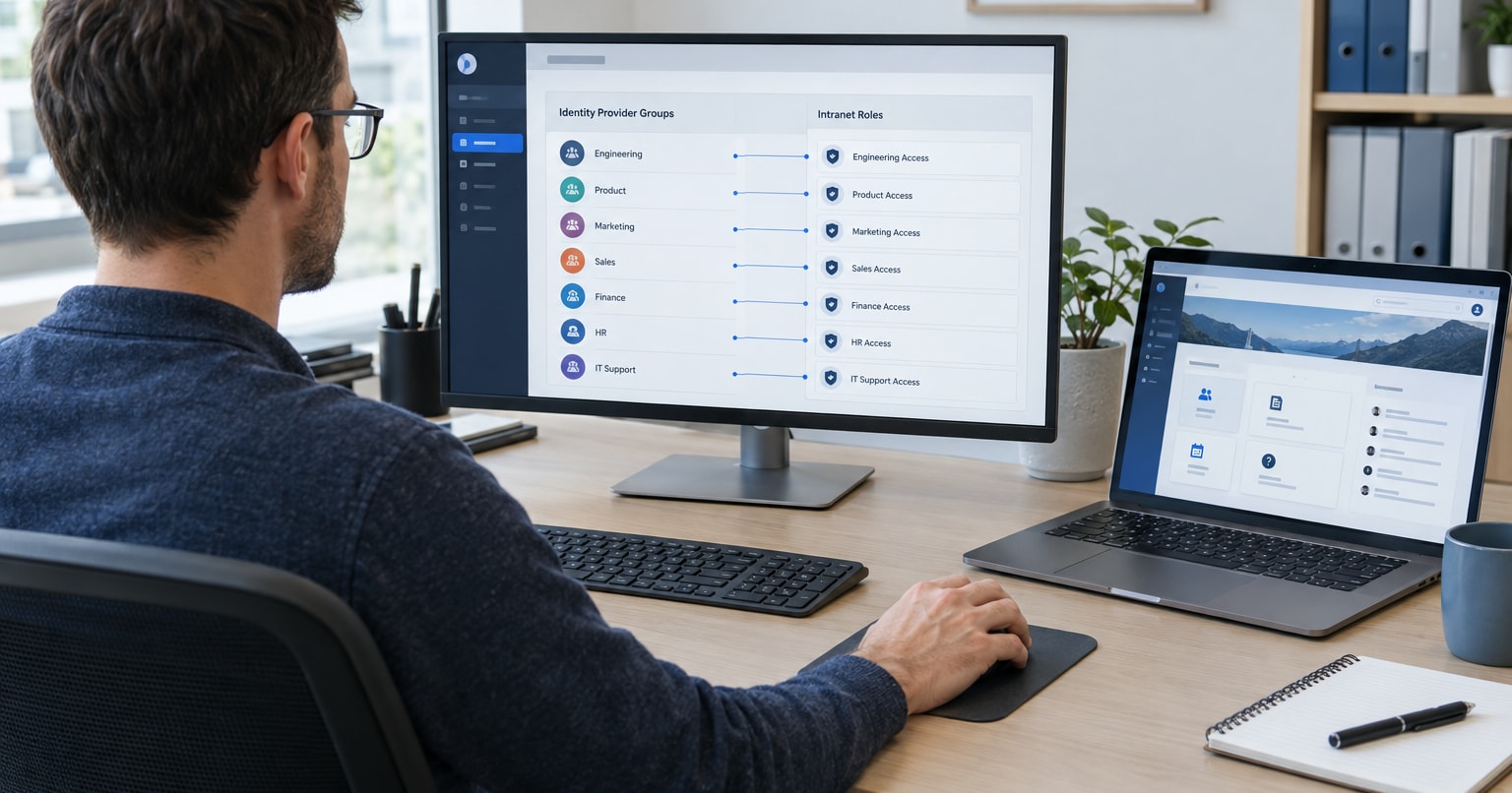
The intranet stays on a server in your building, but everyone logs in. People in Active Directory use their company account, with no separate intranet password. Open Intranet connects to Active Directory, LDAP and SAML/OpenID Connect. It syncs users, groups and attributes such as department, job title, office and manager, and AD groups can be mapped to intranet roles. An announcement for plant A then reaches only the people in that plant’s group.
We cover Microsoft 365 and HR system integrations in Intranet integrations: SSO, HR systems and Microsoft 365.
Nobody can open this intranet from home or from a personal phone until you provide outside access. The classic route is a VPN. If you use Microsoft Entra ID, you can also use Entra application proxy. Entra publishes an app that runs inside your network, the user signs in to Entra before any traffic reaches the app, and you open no inbound ports on the firewall.
This option suits companies that keep their systems in-house anyway. We install Open Intranet on the client’s infrastructure, including closed networks.
Option 3: reachable from the internet, with login
Most of our clients run their intranet on a subdomain reachable from the internet. They are usually distributed organizations, and login goes through Microsoft or Google SSO. Nobody outside can create an account, because there is no sign-up form.
One example is Anthony Veder, a shipping company that carries liquefied gases. Employees in offices and on ships use the intranet and sign in with their company accounts through Okta with LDAP.
This option gives employees the most freedom. They can check the intranet on a phone on the way to work, because Open Intranet runs in a regular mobile browser and there is no app to install. We write more about designing for phones in our post on mobile intranet design.
The price is the pace of maintenance. An intranet on the company network also needs updates, but an app visible from the internet has to be patched right after a fix is published. The Drupal Security Team releases fixes in fixed windows: every Wednesday for contributed modules, once a month for core, between 16:00 and 22:00 UTC. Agree in advance who checks the releases and applies the fixes on Wednesday evening or Thursday morning.
What to do with employees outside Active Directory
In our view, at manufacturing companies the people outside Active Directory decide the question. Office staff are in AD and IT manages their accounts. Some shop floor and warehouse workers have no regular computer, and email does not reach them. If they also have no AD account and should use the intranet under option 2 or 3, they need accounts. We see three routes: two with accounts and one where these people stay outside the intranet.
An employee without a computer or a company phone will sign in on a shared computer at the plant or on a personal phone. With a shared computer, make sure people log out after their shift. Check with HR and a lawyer before you make personal phones part of a work process.
Accounts in Microsoft Entra ID
Entra ID offers sign-in for frontline workers with just a phone number and an SMS code, without a username or password. Every user with this method enabled needs a license, for example Microsoft 365 F1 or F3. On February 1, 2027, however, Microsoft will stop sending authentication text messages itself, including the ones for phone number sign-in. After that it will only work with your own SMS provider, and Microsoft recommends moving to passkeys. We would not build a new process on it today.
Intranet accounts created by HR
The second route is accounts in the intranet itself. During implementation we create them from a CSV file prepared by HR. Open Intranet is free with no per-user fees, so a few hundred extra accounts cost nothing in licenses.
You do need a process for this. Who creates an account for a new hire? Who blocks it on their last day? Should later imports update existing accounts, and which field identifies the same person when there is no email address? A phone number works, for example, and we settle the details during implementation.
In our view this is a job for HR, because IT usually cannot see these people in its systems. If the company runs several HR systems, one shared file is often simpler than integrating with each of them.
No accounts: SMS and email messages
The third route leaves these people without accounts. Open Intranet keeps a list of contacts outside the intranet: you import it from CSV, group it by department and send messages by SMS or email. We did this for one client. Production workers had no accounts and received one-way SMS messages.
That is enough for announcements. Nobody can submit a request this way, because the intranet does not know who is replying.
How to decide
Before you choose a vendor, answer five questions:
- Will anyone submit requests or forms with their own details in the intranet? If yes, you need login.
- Is some content meant for only one plant, subsidiary or department? That also needs login.
- Do you have to show who has read a procedure? The must-read report only works with accounts.
- Should people use the intranet outside the plant, on personal phones? Then option 3, or option 2 with a VPN or application proxy.
- Who on your side will create and remove accounts for people outside Active Directory, and has that person agreed to it?
If you answer “no” to the first four questions, option 1 is enough to start. With even one “yes”, start with option 2 or 3.
Two things decide between option 2 and option 3. If mostly office staff need outside access and you already have a VPN or Entra ID, we think option 2 is enough. If shop floor staff will use phones, option 3 is simpler for them, but you need someone who checks security fixes every Wednesday.
FAQ
Is an intranet on the company network more secure than one reachable from the internet?
The company network does not make it secure by itself, because under NIST SP 800-207 being on the local network does not mean being trusted. An internal intranet is, however, invisible from outside until you open it through a VPN or application proxy, and then the traffic also goes through login.
Can an employee log in to the intranet from a personal phone?
Yes, if the intranet is reachable from the internet, or through a VPN or application proxy. Open Intranet runs in a mobile browser and needs no app installed.
Can we change the access model after launch?
Yes, but the change touches accounts, roles and the update process. We recommend splitting content by plant and department from day one, and creating groups right away under option 2 or 3, even if everyone sees everything at the start.
How much do extra accounts for shop floor workers cost?
The Open Intranet license does not depend on the number of users, because the product is free and open source. Fees can come from the identity provider. With SMS sign-in in Entra ID, which will require your own SMS provider from February 1, 2027, every user with the method enabled needs a license.
Want to test these options on your own instance?
We build and maintain Open Intranet at Droptica. Open Intranet includes groups with restricted access and the must-read report.
Request a written quote for Open Intranet and include your answers to the five questions above. Based on them, we will map out which access model and which way of creating accounts fit your plants, and what the setup would cost.