Intranet integrations: SSO, HR systems, and Microsoft 365
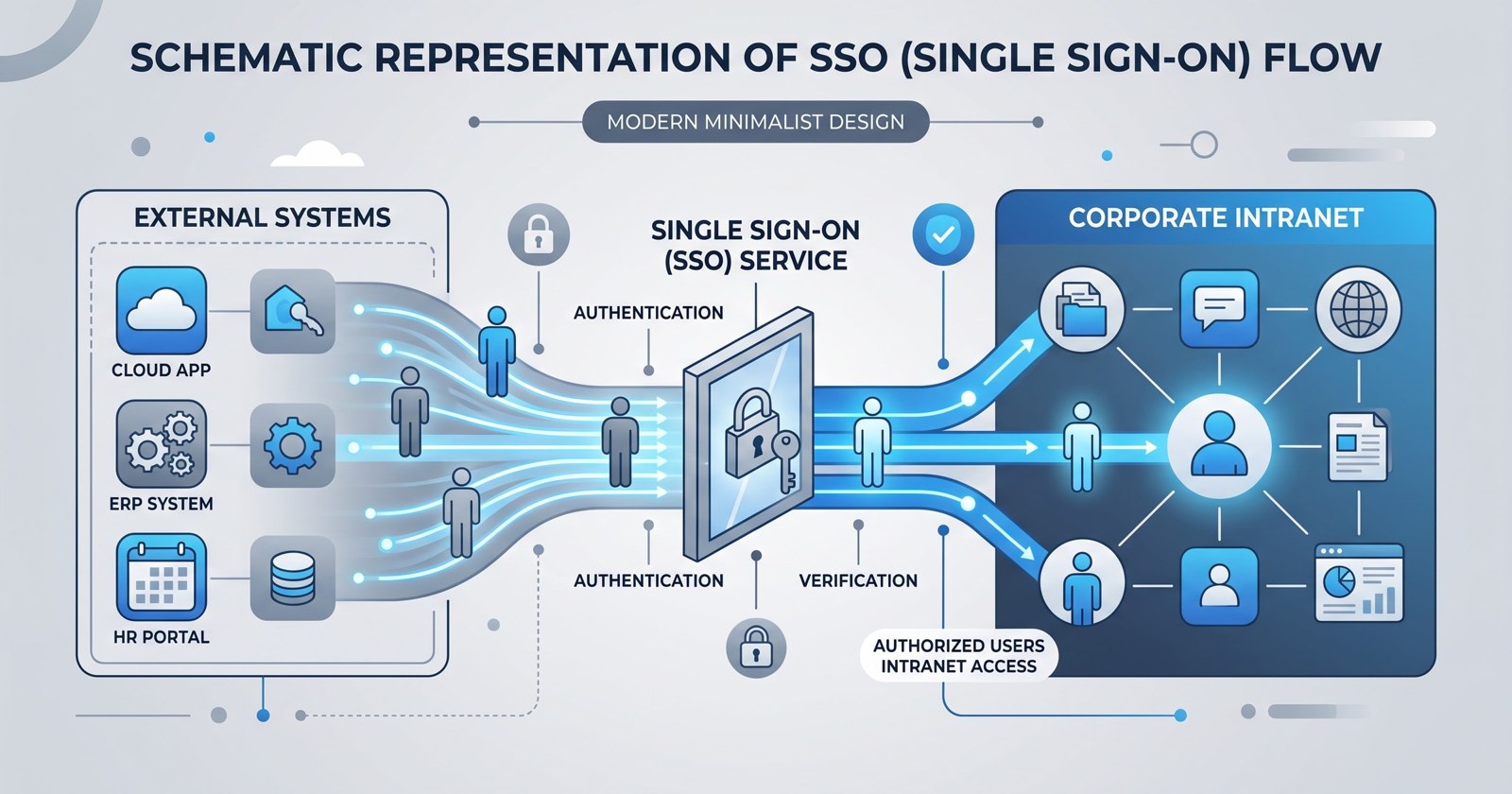
Employees should not need to update the same contact details in several systems or search across multiple applications just to find a document. Well-planned intranet integrations reduce those repeated steps while keeping access decisions and records in the systems that own them.
Open Intranet, built on Drupal by Droptica, can serve as the entry point to workplace tools without replacing your identity provider, HR system, or document platform. The implementation challenge is deciding what to connect, which data to copy, and where permissions must be checked.
This guide explains the integration patterns to evaluate, separating Drupal configuration, contributed modules, and custom connector work from capabilities that require verification in your installation.
In this article:
- How should you design the integration layer?
- How do you connect SSO and manage account access?
- How can Open Directory keep employee profiles, departments, and roles current?
- How should Microsoft 365 content appear in Open Intranet?
- How can you connect Google Workspace without exposing private content?
- How do you connect ticketing without building a second service desk?
- How should a DMS connection preserve document permissions?
- How do you test and maintain intranet integrations?
How should you design the integration layer?
Start with employee tasks, not a list of APIs. “Find a colleague’s current department” is a testable requirement. “Integrate HR” is not.
For an initial release, identify the shortest useful journeys:
- Sign in with an existing company account.
- Find a colleague and their current contact details.
- Open a document the employee is authorized to read.
- Submit a support request and check its status.
Then create an integration inventory. Each connection needs an agreed source of truth, accountable owner, authentication method, read/write direction, and update frequency.
| Connection | Source of truth | Accountable owner | Authentication to assess | Direction and timing |
|---|---|---|---|---|
| Company sign-in | Identity provider | Identity team | OpenID Connect or SAML | Identity claims at sign-in |
| Employee directory | Approved HR or directory source | HR and identity teams | Connector-specific credentials | Source to intranet on an agreed trigger or schedule |
| Calendar component | Microsoft 365 or Google Workspace | Workplace IT | OAuth authorization | Read on request with controlled caching |
| Support requests | Service platform | Service desk | User or service authorization | Submit requests; receive or poll for status changes |
| Document access | DMS | Records or document owner | User-context or approved service access | Links, live reads, or controlled indexing |
These are planning examples, not a ready-made connector catalog.
Choose the lightest connection that completes the task. A link to Teams may be enough. Copying Teams content into the intranet introduces additional permissions, storage, and maintenance work without necessarily helping employees.
| Pattern | Use it when | Main implementation concern |
|---|---|---|
| Source link | Employees only need to reach the tool or record | Stable destinations and sign-in context |
| Supported embed | An in-page view saves a meaningful step | Frame restrictions, cookies, accessibility, and permissions |
| Live API request | Employees need current, contextual data | Authorization, latency, rate limits, and failures |
| Background synchronization | Data supports local profiles, navigation, or search | Ownership, update lag, reconciliation, and deletion rules |
A reference architecture separates three responsibilities:
- Identity provider: authenticates employees.
- Open Directory: maps and synchronizes agreed user data.
- Other connectors: exchange data with productivity, ticketing, and document systems.
Keep connector logic in Drupal services and background workers where appropriate, rather than placing remote API calls directly in page templates.
Before estimating work, check the installed Drupal version, supported APIs, tenant restrictions, licensing, and maintained module options. Distinguish existing configuration from contributed-module installation and custom development. Drupal’s Open Source foundation supports extension, but it does not make every external connection available out of the box.
How do you connect SSO and manage account access?
Single sign-on reduces password friction and lets the identity team apply central access policies. Microsoft Entra ID, Okta, and Keycloak are options to assess, depending on your organization’s infrastructure and protocol requirements.
For web sign-in, the usual choices are:
- OpenID Connect: often suitable for modern identity platforms, using identity claims and tokens.
- SAML: common in enterprise environments with established federation configurations.
Choose a maintained Drupal authentication module that supports your installed Drupal release and the required account-linking behavior. Review security coverage, release activity, logout support, and configuration export before committing.
A typical setup follows this sequence:
- Register Open Intranet as an application with the identity provider.
- Configure exact redirect URLs for OpenID Connect or assertion consumer service URLs for SAML.
- Exchange the required metadata, certificates, or client credentials.
- Configure validation of the expected issuer, audience, signatures, and protocol-specific protections.
- Map verified identity claims to local accounts.
- Test with both permitted and restricted users.
Use a stable identity key for authentication account linking. For OpenID Connect, issuer plus subject is the standard identity pair to use where supported. Email can change or be reassigned, so it should not automatically become the permanent authentication identifier.
This is different from using a trusted company email to match profile records during synchronization.
Authentication, provisioning, and profile updates are also separate responsibilities. A successful company login does not prove that the employee’s department, manager, or intranet role is current. Decide whether accounts are created before first sign-in, on first sign-in, or through another approved process.
Access rules should explicitly cover:
- Which identity groups may access the intranet.
- Which approved groups map to local Drupal roles.
- Which MFA policies the identity provider applies.
- How long local sessions remain valid.
- How disabled accounts lose existing intranet access.
Do not assume that disabling an identity-provider account immediately ends every local Drupal session. Define and test session invalidation, account blocking, and any residual access window.
Test logout behavior, disabled users, expired certificates, and identity-provider outages. If local emergency administrator access is retained, restrict it, protect its credentials separately, and monitor every use.
How can Open Directory keep employee profiles, departments, and roles current?
Open Directory can be used to map and keep user information in Open Intranet updated from an external source, including Active Directory, Keycloak, or another user-data source when the required connection is configured.
The everyday benefit is straightforward: a department move or phone-number change can flow into the intranet instead of someone entering it twice.
If the HRIS owns employee records, decide whether Open Directory should receive those records directly or through an approved directory that already receives HR updates. Avoid creating two competing feeds for the same field.
The workflow is:
- Connect the trusted user-data source.
- Choose how source records match intranet accounts.
- Map the required fields and approved roles.
- Agree overwrite, removal, and exception rules.
- Test synchronization with a small employee group.
- Enable ongoing updates using the mechanisms supported by the installed implementation.
The following table illustrates mapping decisions. It does not prescribe exact source field names.
| Source information | Intranet destination or use | Rule to agree |
|---|---|---|
| Trusted company email | Match the corresponding intranet account | Define exceptions for changed, duplicated, or reassigned addresses |
| Name and phone | Employee profile fields | Decide whether source values overwrite employee edits |
| Department | Intranet department | Resolve unknown or renamed departments |
| Approved source group | Designated intranet role | Allow only explicitly approved mappings |
| Office | Corresponding profile field or relationship | Normalize office identifiers where needed |
| Manager | Manager relationship, where configured | Handle missing or not-yet-imported manager records |
For email-based matching, the process finds the intranet account with the corresponding trusted company email and updates its mapped profile fields. Duplicate matches should be flagged, not guessed.
Where available, retain a stable source identifier for ongoing matching so an email change does not create a second account. Agree how to handle an address later assigned to another employee.
Keep job titles separate from permission-bearing roles. “Operations manager” may be profile information, while “content editor” grants capabilities in Drupal. Do not translate arbitrary source text into permissions or grant administrator rights from an unreviewed group value.
For every mapped field, record:
- Which system controls the value.
- Whether employees may edit it locally.
- Whether synchronization overwrites local edits.
- Whether an empty source value clears the destination.
- What happens when a referenced department or manager is missing.
For example, an employee moves from Sales to Operations. The next successful synchronization updates their department and applies only the explicitly configured role additions and removals. Unrelated profile fields remain unchanged.
Confirm the installed Open Directory implementation’s supported update triggers or schedule before writing configuration instructions or promising real-time updates. Additional user-data sources may need an adapter or other integration work.
Test new starters, department changes, email changes, role removal, missing records, and departures. A failed or incomplete source response must not trigger mass account deactivation. Treat leaver handling as an explicit process, separate from routine profile refresh.
Exclude payroll, medical information, and other unnecessary sensitive fields. Restrict connector access to the required records and attributes, and keep sensitive values out of logs.
How should Microsoft 365 content appear in Open Intranet?
Start with what the employee needs to do, then choose the Microsoft 365 connection method.
| Employee task | Connection to assess |
|---|---|
| Open a team conversation | Link to the relevant Teams location |
| Read or edit a shared document | Permission-controlled SharePoint or OneDrive link |
| View a supported document preview | Supported embed or preview mechanism |
| See upcoming calendar events | Microsoft Graph-backed component |
Microsoft 365 SSO and Microsoft Graph authorization require separate configuration, even when they use the same identity tenant. Signing in to Open Intranet does not automatically authorize it to read calendars or documents.
For Graph access, distinguish:
- Delegated permissions: requests run in a signed-in user’s context, constrained by the granted scopes and that user’s access.
- Application permissions: approved background tasks run without a signed-in user. These can expose a broader data set and require tighter review.
Use delegated access for employee-specific components where the workload supports it. Use application permissions only when a background requirement justifies them, with resource restrictions where supported. An app-only response is not proof that the current intranet visitor may see its contents.
Implementation normally includes application registration, minimum API permissions, required consent, protected server-side token and credential storage, and a token-renewal process. Handle revoked consent and expired credentials as expected failure conditions.
Check each workload’s supported embedding method. SharePoint pages, Office documents, and other Microsoft 365 resources do not all behave the same way in frames. Tenant settings, frame policies, browser cookie restrictions, and the employee’s active Microsoft account can affect the result.
Personalized content also needs permission-aware caching. In Drupal, configure cache contexts, tags, and maximum ages so one employee’s calendar or document list cannot be served to another. Where safe cache variation cannot be established, avoid caching that response in shared page output.
Respect API throttling instructions, including retry timing where provided. Load optional components independently so a calendar outage does not delay the homepage. Provide a clear fallback link to the source application.
Validate licensing, endpoint support, consent, and access using representative employee accounts before committing to a feature.
How can you connect Google Workspace without exposing private content?
Google Workspace follows the same principle: show employees what they are allowed to access without widening the resource’s audience.
Use Drive links when the goal is simply to open a file. Evaluate supported Docs or Calendar embeds for in-page viewing, and use API-backed components when employees need a filtered list or another contextual interaction.
Google identity sign-in and OAuth authorization for Workspace data are separate. An employee authenticated through Google has not necessarily authorized Open Intranet to read their Drive files or calendar.
Before implementation:
- Request only the scopes required for the feature.
- Check administrator controls and external-application restrictions.
- Confirm consent and any verification requirements.
- Test with private resources and users who have different sharing permissions.
- Verify which account the browser uses for embedded content.
Do not publish private documents or calendars publicly to make an embed load. That changes access boundaries rather than fixing the integration.
Service accounts and domain-wide delegation are separate, privileged design choices. They are not defaults for user-specific views. If domain-wide delegation is necessary, document the scopes, impersonation rules, administrators responsible, and revocation procedure.
When browser restrictions or account context prevent an embed from loading, show an “Open in Google Workspace” link. A reliable route to the source is more useful than an empty component or an unsafe sharing workaround.
How do you connect ticketing without building a second service desk?
An intranet can make support easier to reach while leaving service operations in the ticketing platform.
For Jira Service Management, ServiceNow, or a compatible internal service desk, prioritize:
- A request submission form.
- A personal request list.
- Status summaries and links to the source ticket.
Keep workflow ownership, assignment rules, escalation, and service targets in the service platform. Map only the fields needed for the intranet experience, such as request type, description, requester, and approved attachments.
Use supported APIs for submission. Receive status changes through supported webhooks or poll at an agreed interval when webhooks are unavailable.
Map the signed-in employee to the correct requester identity on the server. Never trust a browser-supplied requester identifier without validation. Check authorization before displaying ticket details or attachments, including requests whose visibility has changed since submission.
Retries need duplicate protection. Create a stable submission identifier and use the platform’s idempotency support where available. Otherwise, design connector-side deduplication and reconciliation carefully. If a request times out after the service platform may have accepted it, reconcile the outcome before blindly submitting it again.
Show explicit states:
- Pending: the request has not yet been confirmed.
- Submitted: the service platform returned a confirmed reference.
- Failed: the request could not be completed and needs a defined next step.
Authenticate webhook events using the platform’s supported mechanism, reject replayed events where possible, and process duplicates safely. General intranet notifications should say that a request changed, not expose sensitive ticket text to a wider audience.
How should a DMS connection preserve document permissions?
Keep the document management system authoritative for versions, retention, and approval state. The intranet should help employees discover and open documents, not silently create unmanaged copies.
Choose the presentation level deliberately:
| Presentation | Benefit | Permission responsibility |
|---|---|---|
| Source link | Lowest duplication and maintenance burden | Source checks access when opened; intranet must not expose sensitive link labels |
| Metadata card | Adds context before opening | Authorize titles, owners, and other displayed metadata |
| Supported preview | Reduces application switching | Protect preview access and cached content |
| Search result | Makes documents easier to find | Filter titles, snippets, and results by current access rights |
Use stable document identifiers where the DMS supports them. Paths and filenames can change. Define how the connector resolves moved files, handles deleted records, and responds to changed sharing permissions.
Search indexing requires a specific security design. Decide:
- Which metadata or content enters the index.
- How document access rules are represented.
- How user and group memberships are resolved.
- How quickly permission changes propagate.
- What happens while access information is stale or unavailable.
Do not rely on the final document link to enforce all security. A restricted title or search snippet can reveal information before anyone clicks.
Define an acceptable permission-revocation delay. If access rules cannot be reproduced reliably in the index, consider query-time authorization or a narrower integration. Fail closed when access cannot be established.
Protect preview and download caches as carefully as the original documents. Link employees to the current source version rather than maintaining an unnoticed intranet copy that may miss later edits or retention actions.
How do you test and maintain intranet integrations?
A connector is not finished when its first request succeeds. It is ready when the team can detect a failure, limit its impact, and recover without guessing.
Keep connector logic separate from presentation components. Document API versions, field mappings, authentication flows, required permissions, module dependencies, and credential locations. Store secrets in an approved secret store, not in exported Drupal configuration or source control.
Use separate test environments and service identities. Apply least-privilege access and establish rotation procedures for credentials, tokens, and certificates.
Build a test matrix around failure and access boundaries:
| Area | Tests to include |
|---|---|
| Authentication | Disabled accounts, expired certificates, logout, identity-provider outage |
| API access | Expired tokens, revoked consent, changed response formats, rate limits |
| Synchronization | Partial imports, duplicate records, missing fields, source outages |
| Events | Duplicate delivery, delayed events, invalid signatures, reordered updates |
| Permissions | Removed group membership, restricted documents, inaccessible attachments |
| Employee lifecycle | New starters, transfers, account blocking, departures |
For Open Directory, specifically test email matching, changed email addresses, renamed departments, approved role assignment and removal, and missing manager relationships. After a source outage, verify that a successful update restores the expected state without creating duplicate accounts.
Apply timeouts and bounded retries. Retry temporary errors with backoff, but do not endlessly retry authorization or validation failures. Send repeatedly failing queue items to a reviewable failure state with a documented replay procedure.
Optional remote components should have independent loading and fallback behavior. One unavailable service must not block the intranet homepage.
Monitor operational signals without storing sensitive payloads:
- Authentication failures.
- Time since the last successful synchronization.
- Failed or skipped records.
- Queue backlog.
- Upstream API errors and throttling.
- Certificates and credentials approaching expiration.
Useful launch measures include sign-in success, directory update lag, confirmed request submissions, and successful document-opening journeys. Establish a baseline during the pilot and agree alert thresholds with the teams that will respond.
Schedule Drupal and connector updates alongside API deprecations, certificate renewals, and tenant policy changes. Custom code needs regression tests just as contributed modules need compatibility and security review.
Before launch, confirm these essentials:
- Permission tests: prove restricted users cannot see protected content or metadata.
- Reconciliation: compare source and destination records to detect missed updates.
- Alerts: route failures to someone who can act.
- Named owners: identify a technical owner and business data owner for each connection.
- Recovery instructions: explain how to pause, retry, replay, or rebuild safely.
Ready to start?
Bring Droptica an inventory of your identity provider, user-data source, HRIS, Microsoft 365 or Google Workspace tenant, ticketing platform, and DMS.
Include a sample of the employee fields, department structure, and role mappings you want Open Directory to maintain, using anonymized records where possible. Add the employee tasks you want to support and any licensing, hosting, or access restrictions.
Talk to Droptica about validating connection methods, access boundaries, and implementation effort for Open Intranet. The next step is to identify what configuration can cover, which maintained modules fit, and where custom connector work is needed.