Intranet for a group of companies: one portal or a separate site per company?

For most groups of companies, we recommend one portal with a user group for each company. It gives you one login, shared announcements for the whole group, and content that only the people of a given company can see. Separate sites make sense when the companies are independent: they share few people and little content, or may be sold. You can change this choice later.
This guide is for IT and HR teams in groups with several or a dozen-plus companies that are choosing one intranet for a group of companies. It is easy to put each company’s own logo at the top of the requirements list. First, though, you need to work out what the companies actually share.
In this article:
- What the companies share and what they don’t
- Model 1: one portal, a group for each company
- Model 2: one installation, several domains
- Model 3: a separate site for each company
- Login when companies use different directories
- Can you change the model after a year?
- How to choose a model
- FAQ
What the companies share and what they don’t
We look at four things. People: does anyone work for several companies or for the whole group, such as the board, group HR or a shared IT team? User directory: is everyone in one Active Directory or one Entra ID? Content: how many announcements, policies and documents apply to the whole group? Processes: do the companies use the same requests and approval paths? People and content weigh the most. Different directories and processes add work, but on their own they do not force separate sites.
Drupal, which Open Intranet runs on, gives you three ways to serve several companies:
| One portal with groups | One installation, several domains | Separate site for each company | |
|---|---|---|---|
| Shared user accounts | yes | yes | no, each site has its own database |
| SSO login with the same credentials | yes | yes | yes, but a separate account on each site |
| Content only for the people of one company | yes, through groups | the domain alone sets visibility per address; limiting it per company needs groups or roles | yes, because the company has its own site |
| Announcement for the whole group | published once | published once | published on every site |
| Company’s own address | no | yes | yes |
| Updates | once for everyone | once for everyone | separately for each site (multisite shares code, but the update script runs per site) |
Model 1: one portal, a group for each company
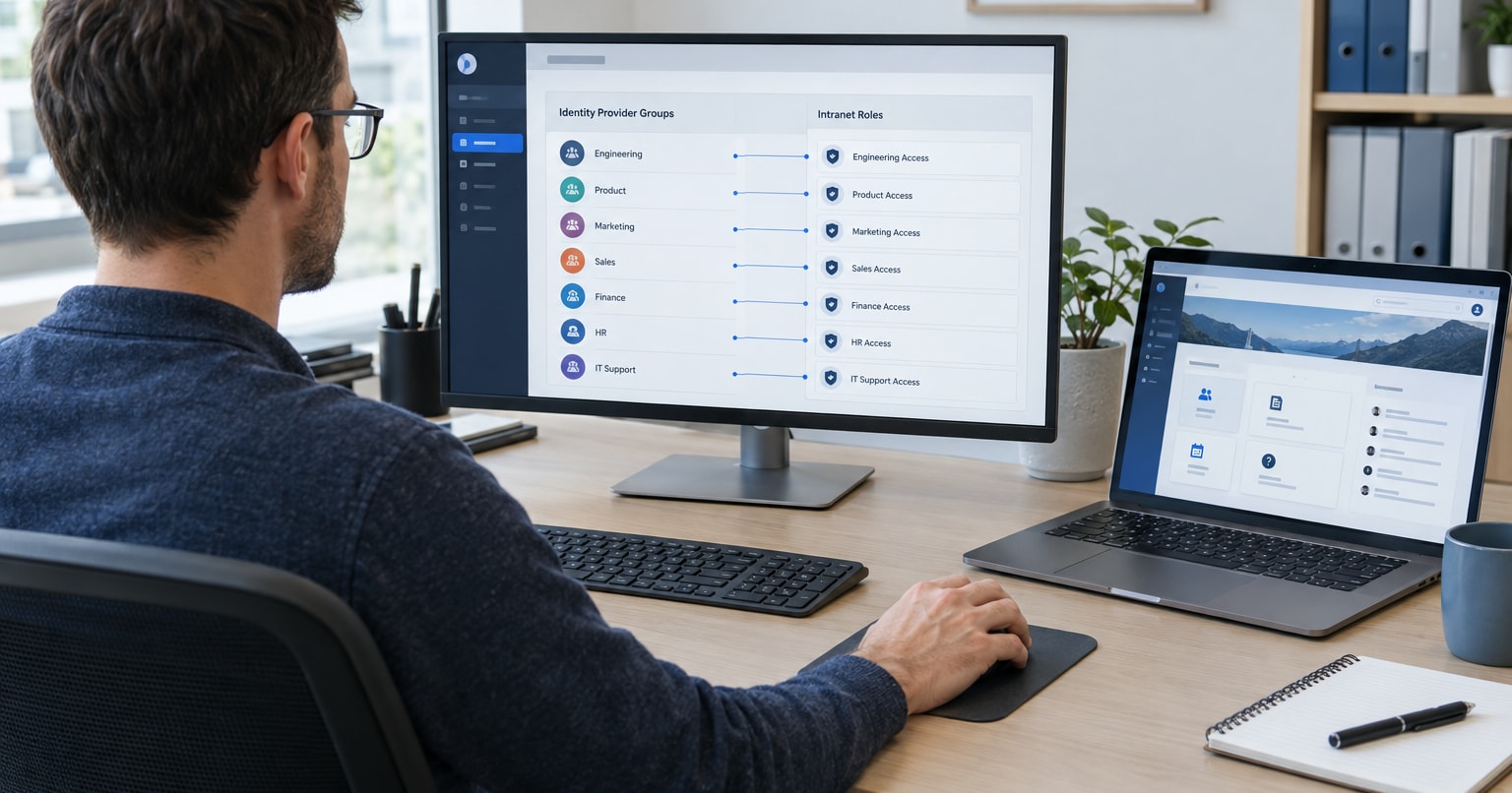
Everyone works in one intranet, and each company is a user group in it. In Open Intranet, groups can be nested and inherit access. Access to pages, documents, folders and forms is restricted per group, and group permissions can be combined with individual ones. News is targeted by department, location, group or role.
In practice, an announcement from the group board reaches everyone, while a change to the work rules at company B reaches only its people. Forms and requests can also be limited to one company’s group. If the companies share one Active Directory, Open Intranet syncs users, groups and attributes from it, and intranet roles can be assigned based on AD groups.
This model has one address and one installation. You update once, but an outage also affects every company.
Model 2: one installation, several domains
The Domain module lets you run a group of affiliated sites from one Drupal installation and one shared database. The sites share users, content and configuration, and Domain Access decides which content is available on which site. According to drupal.org, 13,299 sites use it (as of October 2026).
Each company gets its own address, while people and shared content stay in one system. Domain Access, however, sets access by the domain someone is viewing, not by the company they belong to. If content must stay hidden from people in other companies, you need groups or roles on top.
As in model 1, the shared database means all companies sit in the same installation: an update or an outage affects all of them at once.
This option has to be designed before implementation: decide which content and settings are shared and which are specific to each domain.
Model 3: a separate site for each company
Drupal multisite lets you serve several independent sites from one codebase. Each site has its own database, configuration, files and domain. The Drupal documentation points out three things. A bug in a module that only some sites use can disrupt all of them. The update script has to run separately for each site. Managing such a setup by hand takes fairly advanced technical skills.
Multisite saves time when all sites run the same Drupal version, the same modules and the same settings. The other route is fully separate installations. They give full independence, but each one has to be updated and maintained on its own.
Separate sites have separate databases, so they also have separate accounts. An employee of two companies has an account on each site, although with SSO they can sign in with the same credentials. An announcement from the group board has to be published on every site. We recommend this model when the companies share few people and little content, or when one of them may be sold and its intranet has to leave with it.
If only one or two companies are independent, you do not have to split the whole group. Most companies can work in one portal, and those exceptions get separate sites.
Login when companies use different directories
Open Intranet connects to Active Directory, LDAP and SAML/OpenID Connect.
Before you choose a model, check whether the whole group is in one Entra ID or AD directory, or whether each company has its own. One directory makes a single portal easier. Several directories do not rule it out. The Open Directory module in Open Intranet, which syncs employee data, maps user data from an external source such as Active Directory or Keycloak. Each additional source may need an adapter or other integration work. Plan and test this, ideally on a test instance. We cover SSO and HR system integrations in Intranet integrations: SSO, HR systems and Microsoft 365.
Can you change the model after a year?
Yes. If after six months or a year you decide another model fits better, the data can be split or merged. That is still a migration of content, accounts and permissions, so before you decide, estimate how much has to move.
The switch is easier when, from day one, every piece of content is assigned to a company or to the whole group. Even if everyone sees everything at the start, create groups for the companies and publish content in them. When you split later, it is clear what belongs to which company. We gave similar advice in our post on whether your intranet should be reachable from the internet.
How to choose a model
Before you talk to vendors, answer six questions:
- Are there people who work for several companies or for the whole group?
- Are all companies in one Active Directory or Entra ID directory?
- How much content applies to the whole group, and how much to single companies?
- Do the companies have their own requests and approval paths that must be kept apart from the rest of the group?
- Could any company be sold or spun off?
- Does each company need its own intranet address?
If you answer “yes” to question 1, question 3 shows a lot of shared content, and you answer “no” to questions 5 and 6, start with one portal with groups. Separate directories from question 2 do not change that; they only add work on login. Separate requests from question 4 do not change it either, because forms can be limited to one company’s group. If the companies share few people and little content, or may leave the group, consider separate sites. If you answer “yes” to question 6 and people and most content are shared, look at the model with several domains.
FAQ
Can each company have its own logo?
It depends on the model. Separate sites have their own configuration, so each can have its own logo. In the several-domains model, the Domain 3.x module supports configuration overrides per domain. In one portal, describe a logo that depends on the user’s company in your requirements and have it priced.
What about an employee who works for two companies?
In one portal, access is set per group, so if they belong to the groups of both companies, they see the content of both. With separate sites they have an account on each.
Does the license cost grow with the number of companies?
No. Open Intranet is free and open source, with no per-user fees. With separate sites, maintenance work grows instead, because each site has to be updated separately, even when multisite shares the code.
Want to test the model on your own instance?
We build and maintain Open Intranet at Droptica. Open Intranet includes groups with restricted access and news targeted to selected groups.
Request a written quote for Open Intranet and include a list of your companies and your answers to the six questions above. Based on them, we will map out which model fits your group and what it would cost.